 Gnuke
How Gnuke works
One click on a sender in Gmail unsubscribes you and moves everything they ever sent you to Trash. Here is each part, and where to read more.
- Unsubscribe and delete in one click
- Starred mail stays
- Undo for 30 days
Gnuke puts a bomb button in Gmail. Click it on a sender and two things happen: you're unsubscribed, and every email that sender ever sent you goes to Gmail's Trash. On a phone, the phone app does the same thing. You can also see it running in the live demo on the homepage.
Mass unsubscribe from any sender
Gnuke unsubscribes you in whatever way the sender accepts. When the sender supports the standard one-click unsubscribe request, Gnuke sends it. When the sender only takes requests by email, Gnuke sends the unsubscribe email from your own address. When neither works, it opens the sender's unsubscribe page for you. Each sender gets its own result, such as "Unsubscribe requested", so you can see what happened.
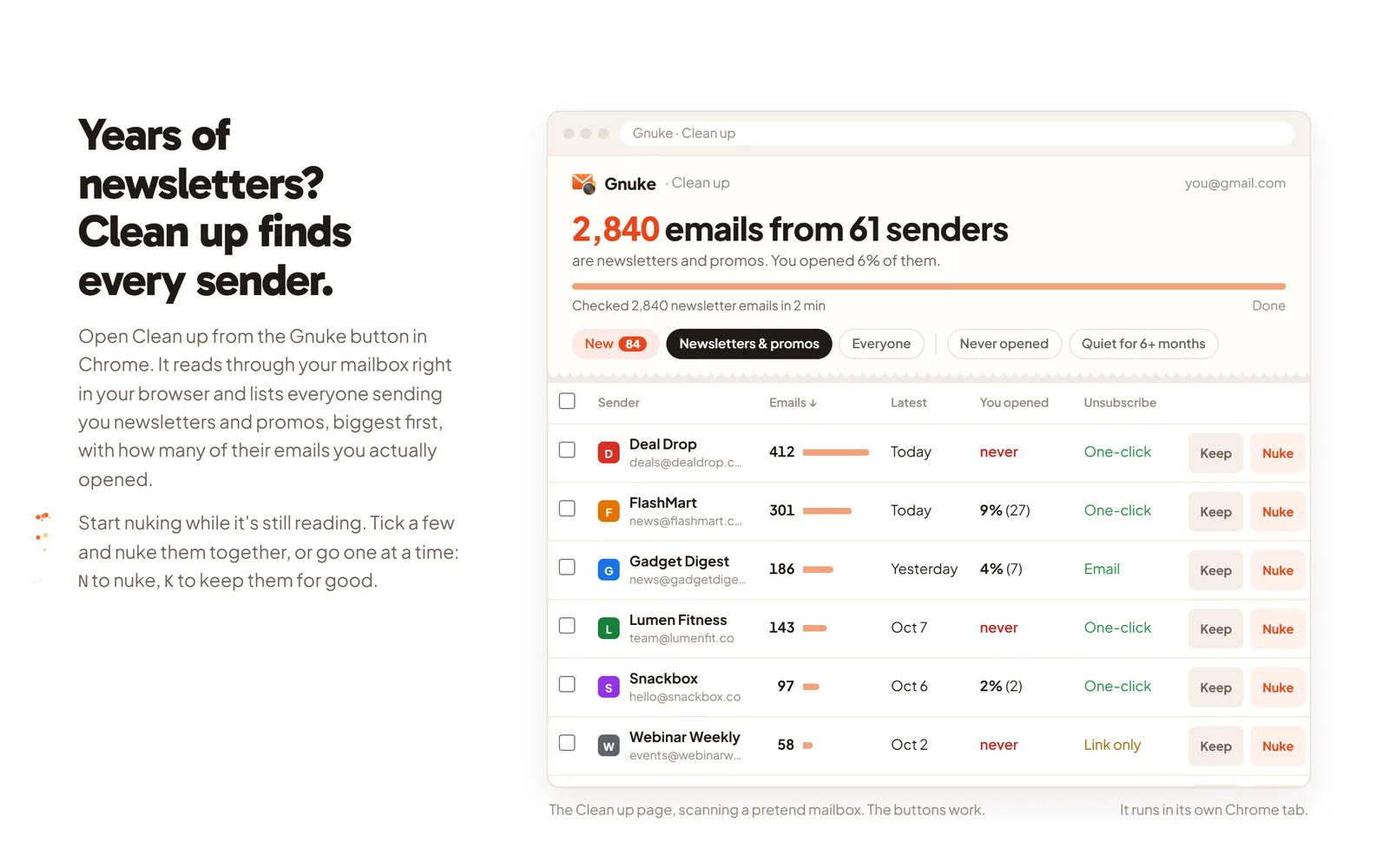
For a whole pile of senders at once, Clean up lists your newsletter and promo senders. Each one shows how many emails it sent and how often you open them, so the ones you never read stand out. Tick several and nuke them together.
 getgnuke.com/#cleanup
Want to do it with Gmail alone? Our guide to unsubscribing in bulk in Gmail covers Manage subscriptions and its limits. For one company at a time, there are step-by-step guides for Amazon, Nextdoor, Pinterest, Facebook and LinkedIn, plus the rest on the articles page.
Delete all emails from one sender at once
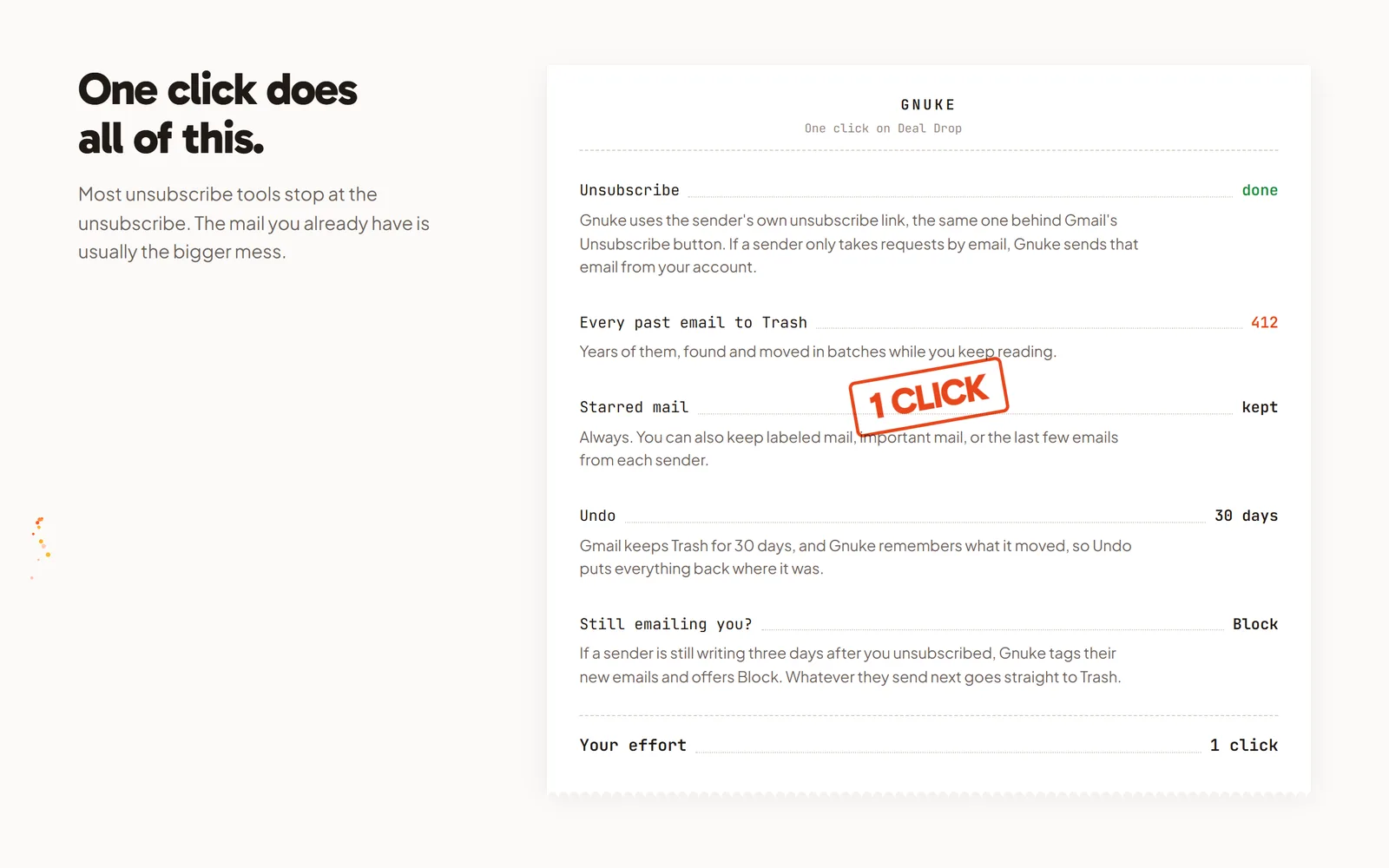
The same click moves everything that sender ever sent you to Gmail's Trash. You don't search, tick a select-all box or page through results. Starred and labeled mail stays where it is. Undo brings everything back for 30 days, and Gnuke never deletes anything permanently.
Rather do it by hand? How to delete all emails from one sender in Gmail walks through the search, the select-all link and a filter that deletes their future mail.
Block senders who keep emailing
Some senders keep writing after you unsubscribe. Block creates a Gmail filter that sends that sender's future mail straight to Trash, and Unblock removes it. Gmail's own block works differently: it sends future mail to Spam. Our guide to blocking an email address in Gmail explains when each one fits.
Your mail stays on your device
Gnuke talks to Gmail from your own browser, or from your phone with the phone app. Email content stays on your device, and no Gnuke server reads your mail. The details are in the privacy policy. Prices are on the homepage.
How Gnuke compares with other tools
We compared Gnuke with Gmail's Manage subscriptions, Unroll.me, Clean Email, Trimbox and SaneBox, with sources for every claim about the other tool. All of them are on the compare page.