 Gnuke
Gnuke Facebook's email notifications have their own settings screen, and the path to it differs between a computer and the app. Here's the path for each, the email Facebook sends whatever you pick, and how to clear out the Facebook mail already sitting in
  Gmail.
Turn down Facebook's email in its notification settings#
These steps come from Facebook's help page Adjust your email notifications from Facebook, checked in October 2026.
On a computer:
- Click your profile picture in the top right of Facebook.
- Select Settings & privacy, then click Settings.
- Click Notifications on the left.
- Scroll down and select Email.
In the  Android or
  iPhone app:
- Tap Menu.
- Tap Settings & privacy, then tap Settings.
- Scroll down and tap Notifications below Preferences.
- Scroll to the bottom and tap Email.
From there, Facebook says, you can change how often you get email notifications and what they're about. Its help page for Page managers names the frequency choices: All, Suggested or Required notifications, below a heading called Email Frequency. Choose Required notifications if you want as little Facebook email as the setting allows.
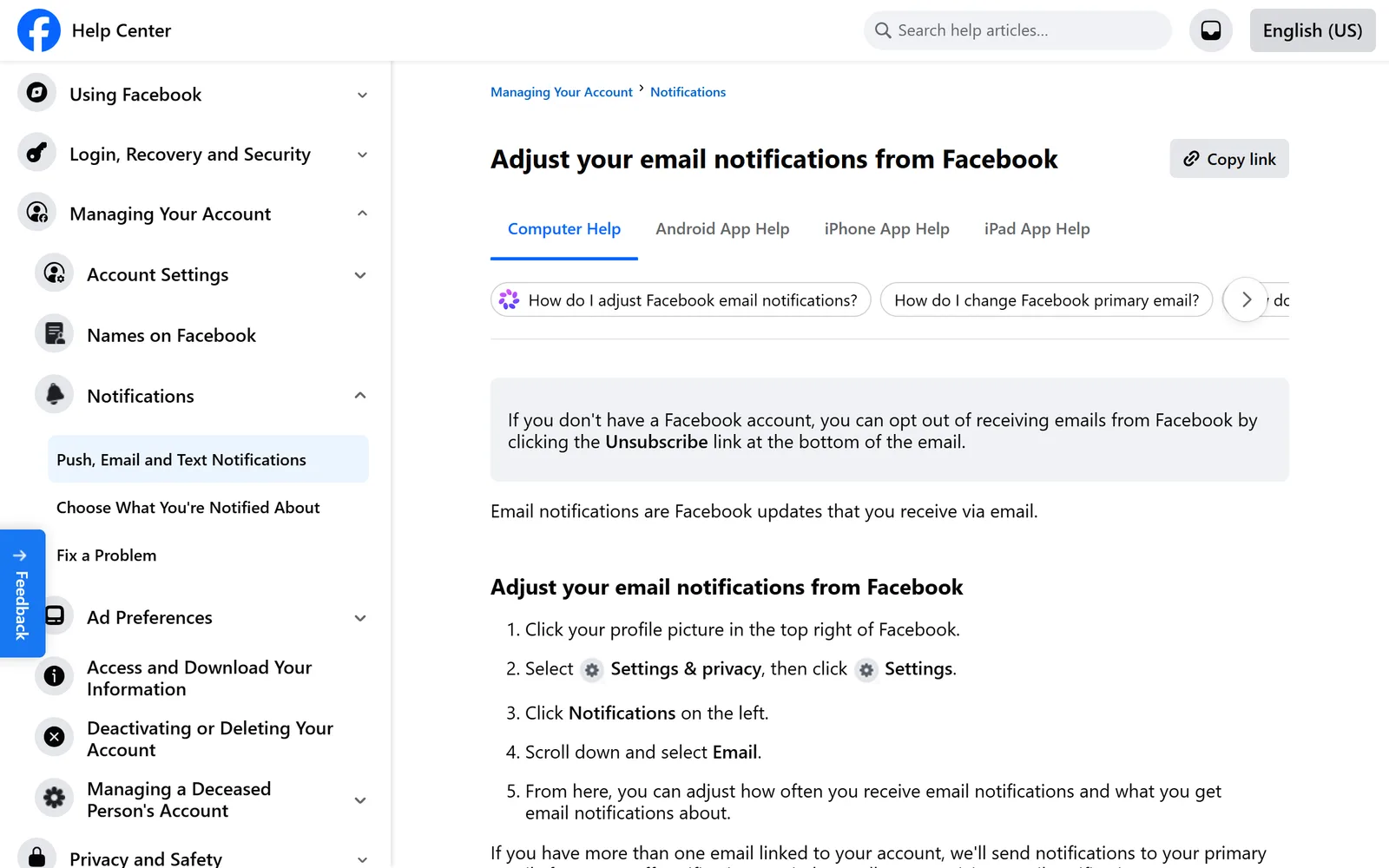
If more than one email address is linked to your account, Facebook sends notifications only to the primary one. The same Email screen lets you pick which address is primary. If Facebook mail lands in an inbox you don't expect, check that first.
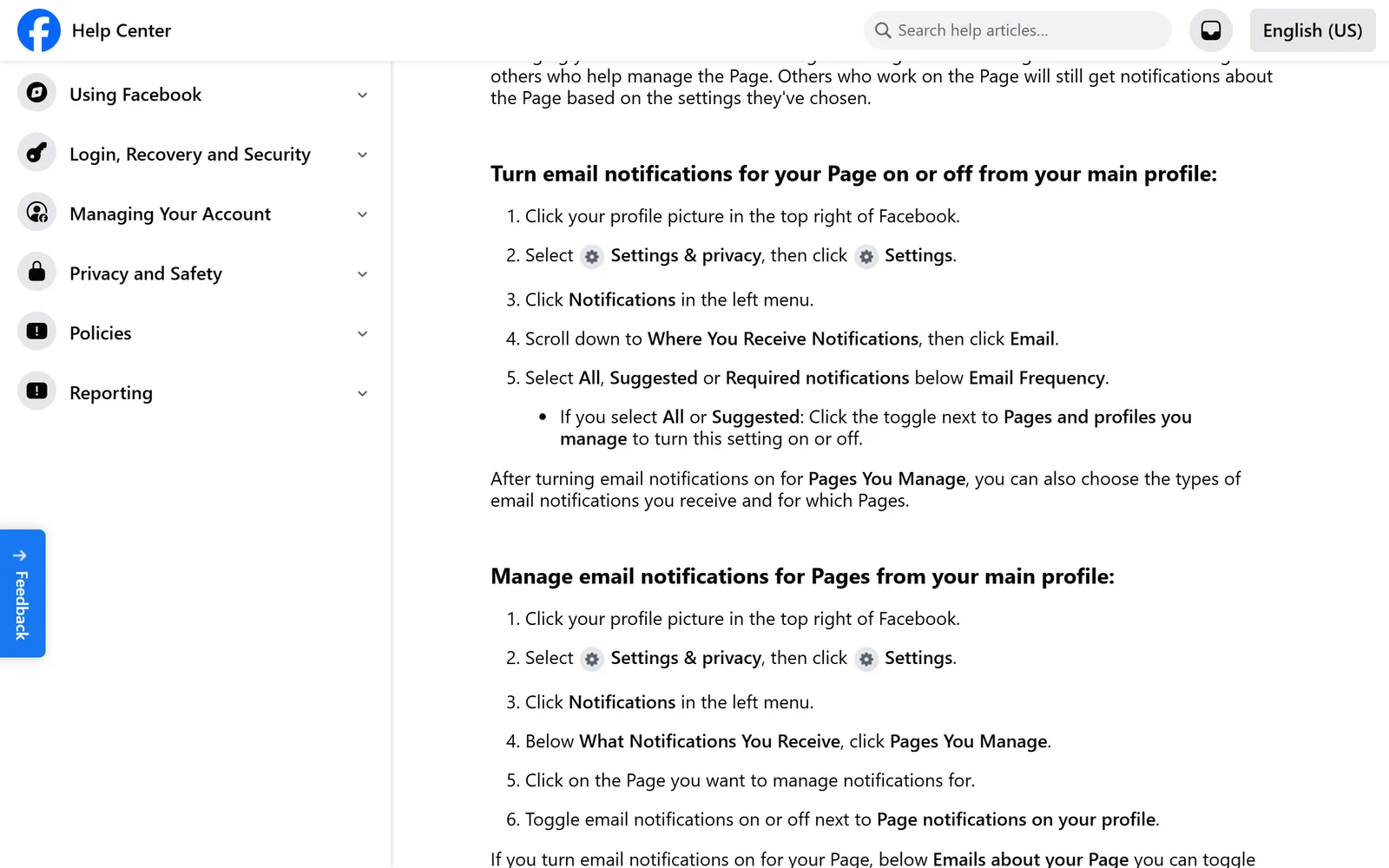
If you manage a Facebook Page, its email is a separate switch. Facebook's Page help says the toggle sits next to Pages and profiles you manage, and that changing it doesn't change what the Page's other admins receive.
The Unsubscribe link at the bottom of Facebook's emails#
Facebook's help mentions the Unsubscribe link at the bottom of its emails in three situations:
- You don't have a Facebook account. The email notifications page says you can opt out by clicking Unsubscribe at the bottom of the email.
- The emails are about an account that isn't yours. Facebook's page on notifications about someone else's account says to click Unsubscribe in any of them, or add your email to your own account, which removes it from any other account.
- You turned on email for a Page you manage. The Page help says you can unsubscribe at the bottom of the notification.
For a regular account holder, Facebook's help sends you to the settings above. None of the pages we read say what a single Unsubscribe click covers for your own account, so the Email Frequency setting is the one to rely on.
What Facebook keeps sending anyway#
Facebook won't go completely silent, and it says so. Its page on choosing what you get notified about opens with "You can't turn off notifications entirely." The lowest Email Frequency choice it names is Required notifications, not off.
Security email is the clearest example. Facebook's page on contact info for security notifications says that if someone tries to log into your account from an unrecognized device or browser, it sends you an email alert. You want that one.
To see what Facebook actually sent you, its page on checking whether an email is really from Facebook points to a Recent emails list. Go to facebook.com/recent_emails/security, or click your profile picture, then Settings & privacy, Settings, Accounts Center, Password and security, and Recent emails below Security checks. The Security tab shows security emails from the last year. The Other emails tab shows everything else from the last two days. (Facebook notes that some people see Meta Account settings in place of Accounts Center while it moves accounts over.)
Facebook writes from more than one address#
That same help page lists every domain Facebook or Meta email comes from, along with their subdomains:
- fb.com
- facebook.com
- facebookmail.com
- instagram.com
- meta.com
- metamail.com
- global.metamail.com
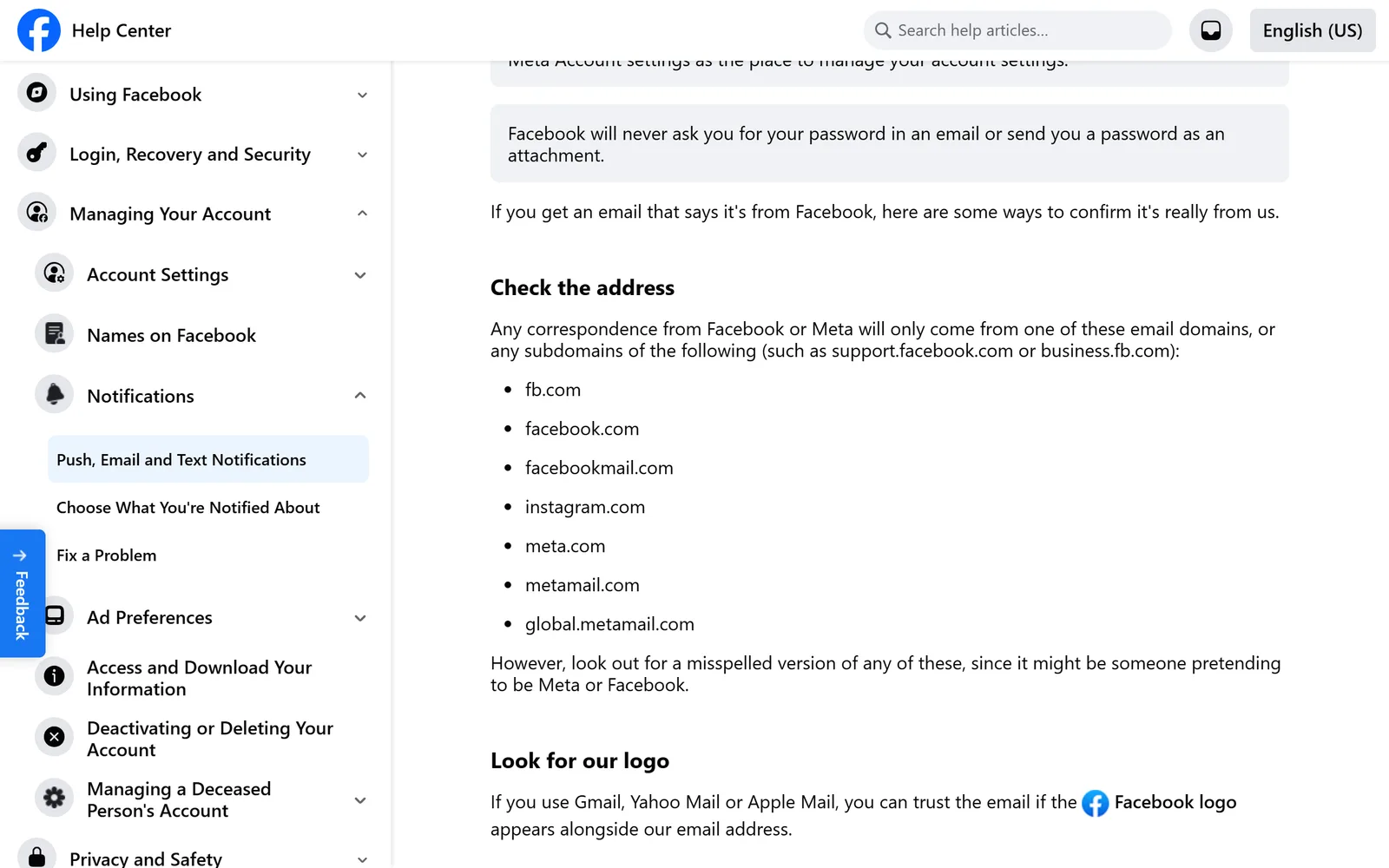
One domain gets singled out. When notifications go missing, Facebook's troubleshooting page tells you to add @facebookmail.com to your safe senders list, which makes it the address to search for in Gmail: from:@facebookmail.com. Facebook also warns that a misspelled version of any of these domains can be someone pretending to be Facebook, so look closely before clicking links in a message that looks off.
What Gmail's Unsubscribe does with Facebook mail#
Gmail gives you two ways to unsubscribe without opening Facebook: the Unsubscribe link next to the sender's name at the top of many messages, and Manage subscriptions in the left menu. Both stop new mail. Neither touches the mail you already have.  Google's help page says a request can take a few days to take effect, and Gmail sends new mail from that sender to Spam in the meantime.
So after either route, every Facebook email you've already received is still in your inbox. Our guide to unsubscribing in bulk in Gmail covers Manage subscriptions in full, and  Gnuke vs Gmail's Manage subscriptions puts the two side by side.
Clear the Facebook backlog in one click#
Gnuke is a  Chrome extension that adds a bomb button to Gmail. Click it on a Facebook email and it does both jobs:
- It unsubscribes you in the best way the sender supports. That's the standard one-click request if the sender offers it, an unsubscribe email from your own address if not, and the sender's unsubscribe page if neither applies. Gnuke tells you which one happened.
- It moves every email that sender ever sent you to Gmail's Trash.
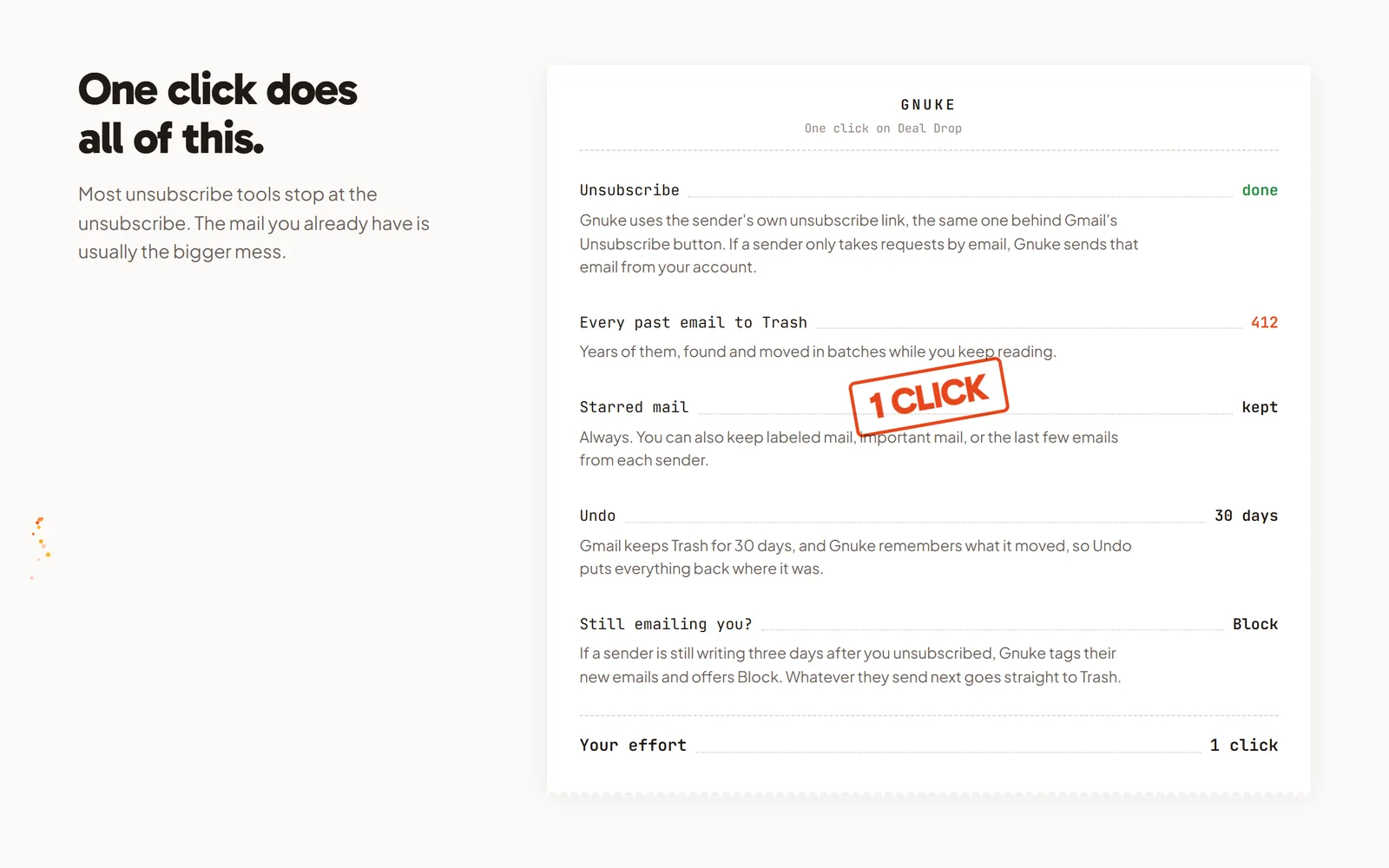
Starred mail always stays. You can also keep anything in a label, mail marked important, or the sender's newest 1, 3 or 10 emails. Undo brings everything back for 30 days, and Gnuke never deletes anything permanently. If a second Facebook address shows up in your inbox, click the bomb on that one too.
If Facebook keeps writing after you unsubscribed, "Still emailing you" flags it and offers Block, which creates a Gmail filter that sends its future mail straight to Trash. For a bigger cleanup, Clean up ranks your senders by how many emails they sent and how often you open them, so you can tick Facebook and a dozen others and clear them together. There's also a phone app that does the same from your phone.
You get 10 nukes a month free. Unlimited is $29.99 a year or $4.99 a month. See how it works and pricing. Gnuke talks to Gmail from your own browser, and no Gnuke server sees your mail.
Prefer to do it by hand? Search Gmail for from:@facebookmail.com, select every match and delete them, as laid out in our guide to deleting all emails from one sender.
What each route stops#
| Route | Stops new Facebook email | Clears the Facebook email you already have |
|---|---|---|
| Facebook's Email settings | Stops new Facebook emailDown to Required notifications | Clears the Facebook email you already haveNo |
| Unsubscribe link in the email | Stops new Facebook emailCovered in Facebook's help for people without an account and for Page email | Clears the Facebook email you already haveNo |
| Gmail's Unsubscribe and Manage subscriptions | Stops new Facebook emailSends a request; new mail goes to Spam while it takes effect | Clears the Facebook email you already haveNo |
| Gnuke's bomb button | Stops new Facebook emailUnsubscribes the best way the sender supports | Clears the Facebook email you already haveYes, to Trash, with Undo for 30 days |
Most people need both halves. Set Facebook's Email Frequency to Required notifications so only the required email keeps coming, then clear out what's already there. For the same job on other networks, see how to unsubscribe from  LinkedIn emails and
  Nextdoor emails.
Frequently asked questions
How do I stop Facebook from sending me emails?
On a computer, click your profile picture, then Settings & privacy, Settings, Notifications, and scroll down to Email. In the app, tap Menu, Settings & privacy, Settings, then Notifications below Preferences, and Email at the bottom. Under Email Frequency, choose Required notifications.
Can I turn off every email from Facebook?
Not entirely. Facebook's help says you can't turn off notifications entirely, and the lowest Email Frequency choice it names is Required notifications. Facebook also says it emails you an alert when someone tries to log into your account from an unrecognized device or browser.
What email addresses does Facebook send from?
Facebook's help lists fb.com, facebook.com, facebookmail.com, instagram.com, meta.com, metamail.com and global.metamail.com, plus their subdomains. Its troubleshooting help names @facebookmail.com as the domain to add to your safe senders list. Watch for misspelled versions of these, which can be phishing.
Does turning off Facebook emails delete the ones I already have?
No. The setting only changes what Facebook sends from now on, and Gmail's Unsubscribe works the same way. To clear the old ones, search Gmail for from:@facebookmail.com and delete the results, or use Gnuke, which unsubscribes and moves the sender's emails to Trash in one click.
I don't have a Facebook account. How do I stop the emails?
Facebook's help says to click the Unsubscribe link at the bottom of the email. If someone added your address to their account, Facebook says adding the email to your own account removes it from any other account it's attached to.