 Gnuke
GnukeCompare
Gnuke vs Gmail's Manage subscriptions: stop new mail, or clear the old mail too?
Gmail's Manage subscriptions stops future mail one sender at a time. Gnuke also trashes the sender's whole history. Compared with Google's own sources.
If you only want a sender's future mail to stop,  Gmail's built-in Manage subscriptions is free and probably enough. If you also want the thousands of emails already in your inbox gone,
  Gnuke unsubscribes and trashes the sender's whole history in one click, with Undo for 30 days.
The short version#
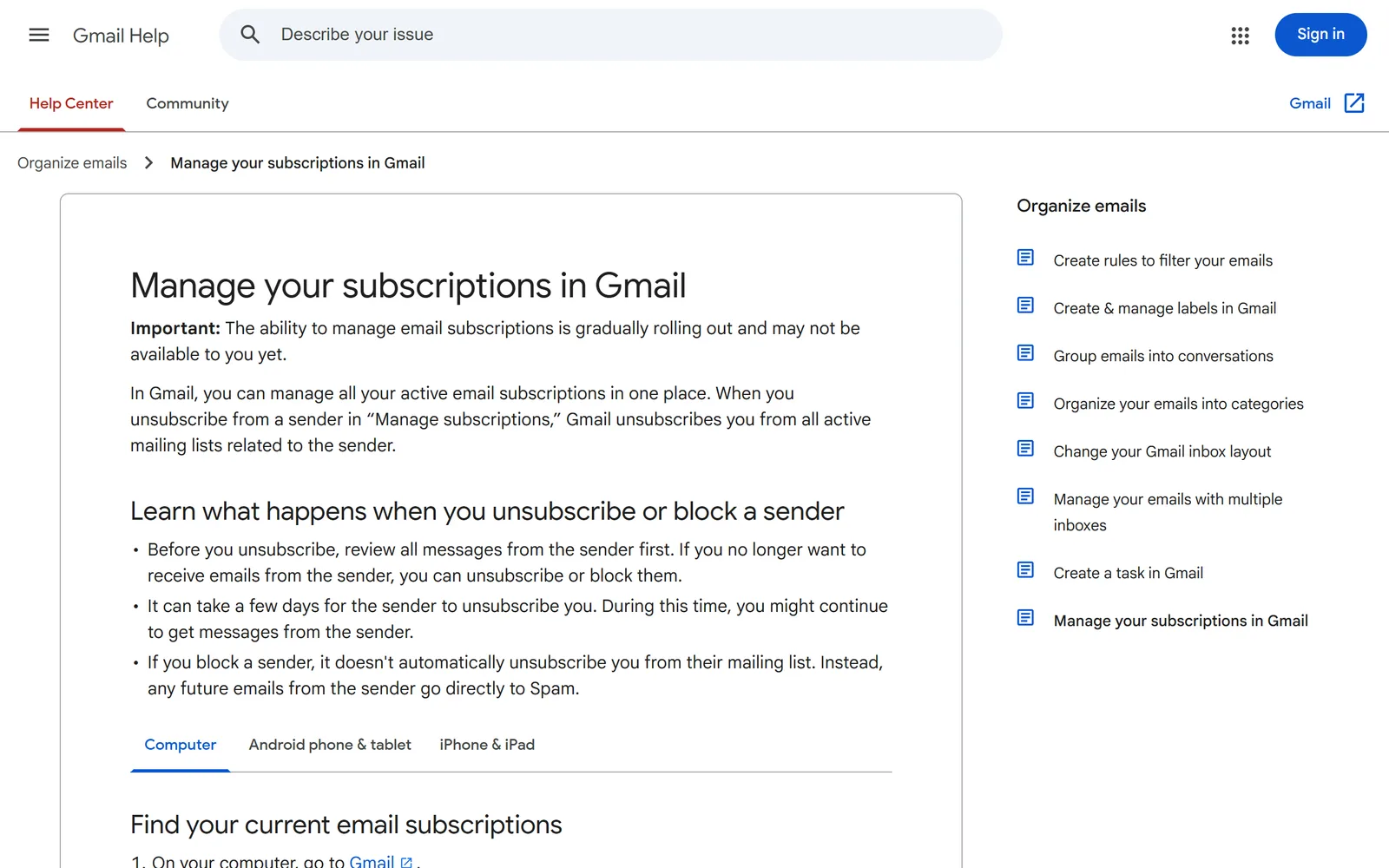
Manage subscriptions is a list inside Gmail.  Google announced it on July 8, 2025 and describes it as a place to "organize your subscription emails and easily unsubscribe from the ones you no longer want." You click Unsubscribe next to a sender and "Gmail will send an unsubscribe request to the sender on your behalf." Mail that arrives later is handled. Mail you already have is not described anywhere in Google's pages.
Gnuke does both halves. It unsubscribes you, then moves every email that sender ever sent you to Trash. It can also block senders who ignore the unsubscribe, nuke a whole domain, and take a batch of senders at once from its Clean up window.
Side by side#
| Gnuke | Gmail's Manage subscriptions | |
|---|---|---|
| Price | GnukeFree with every feature and 10 nukes a month. Unlimited is $29.99 a year ($2.50 a month) or $4.99 a month, covering every Gmail account you use, up to 5 | Gmail's Manage subscriptionsPart of Gmail. Google lists it for all personal accounts and Workspace customers, with no separate price (Google) |
| Where it runs | GnukeChrome extension for Gmail on a computer, plus a phone app at app.getgnuke.com | Gmail's Manage subscriptionsInside Gmail on the web, Android and iOS (Google) |
| Future mail | GnukeOne-click request when the sender supports it, otherwise an unsubscribe email from your address, otherwise opens the sender's page for you | Gmail's Manage subscriptionsGmail sends the unsubscribe request for you. New emails then go to spam, and some senders send you to their website (help page) |
| Mail you already have | GnukeEvery past email goes to Trash in the same click. Starred mail is never touched | Gmail's Manage subscriptionsNot described. The help page only says you can click a sender to view all their emails (help page) |
| Undo | Gnuke30 days. Nothing is deleted permanently | Gmail's Manage subscriptionsNothing is deleted, so there is nothing to undo. Mail moved to spam can be restored with Report not spam (help page) |
| Senders that ignore the unsubscribe | GnukeFlags them as "Still emailing you" and offers Block, which sends their mail straight to Trash | Gmail's Manage subscriptionsA "Block instead" option sends their future mail to Spam. Blocking does not unsubscribe you (help page) |
| Whole domain | GnukeYes, one click | Gmail's Manage subscriptionsNot described. The steps are one sender at a time |
| Many senders at once | GnukeYes. Tick as many as you like in Clean up and nuke them together | Gmail's Manage subscriptionsNot described. The steps are one Unsubscribe click per sender |
| How fast it works | GnukeThe unsubscribe is sent at once. The sender decides when it stops | Gmail's Manage subscriptions"It can take a few days for the sender to unsubscribe you" (help page) |
| Your mail | GnukeIn your browser or on your phone. No Gnuke server sees your mail | Gmail's Manage subscriptionsIt's Gmail itself, so nothing extra to connect |
We checked this table on October 10, 2026, against Google's announcement, its help pages and press coverage from the week of the launch. Gmail's tool was still rolling out gradually when we checked. Plans and features change.
What Gmail's tool does#
Google describes a simple tool. Active subscriptions are "sorted by the most frequent senders," with the number of emails each one sent in the past few weeks ( Google Workspace Updates, July 8, 2025). Chris Doan, Director of Gmail, wrote in the launch post on the same day that you can click any sender "for a direct view of all the emails they've sent."
 blog.google/products/gmail/new-manage-subscriptions-unsubscribe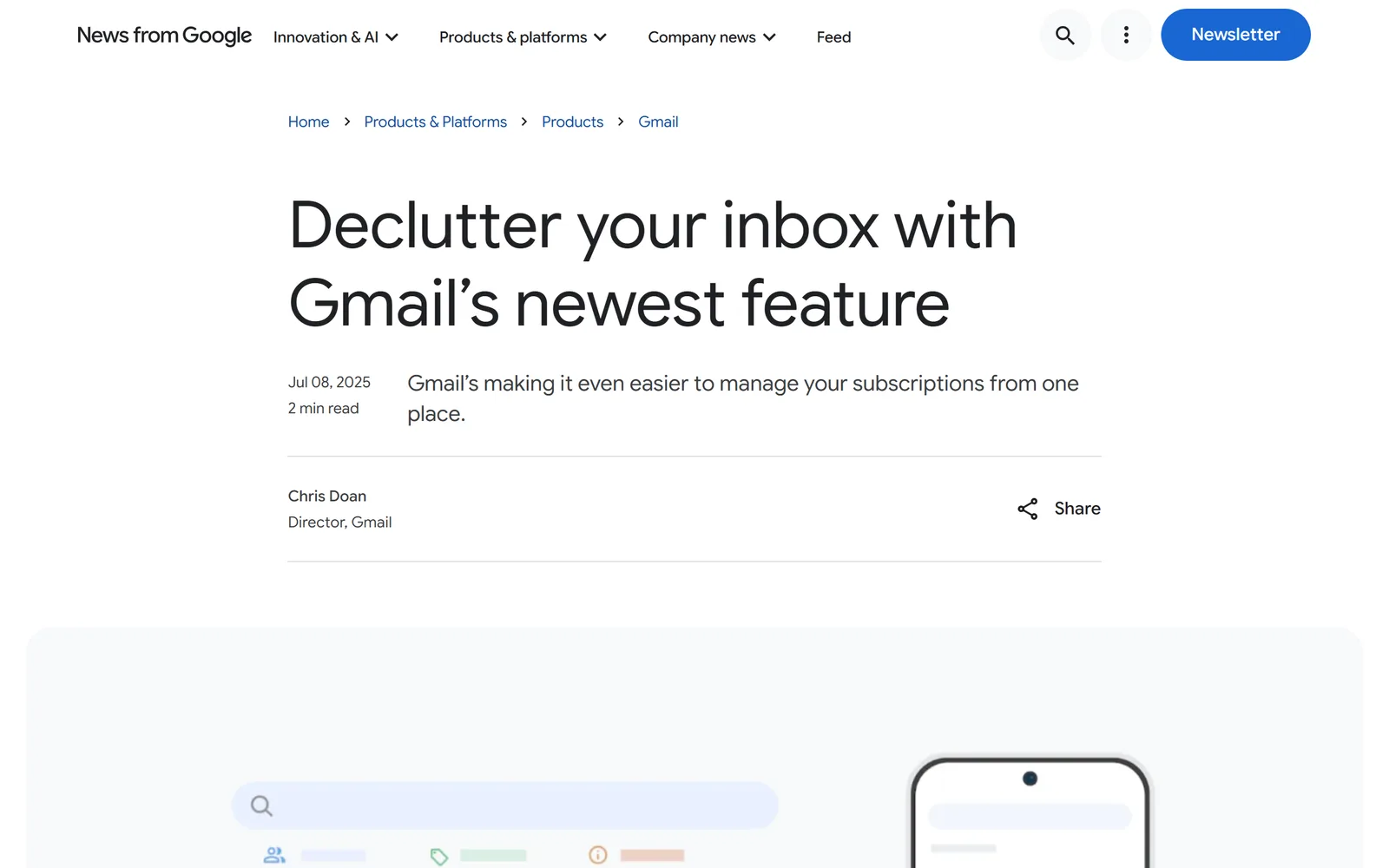
Press coverage at launch described the same thing.  PCWorld (July 9, 2025) said you can unsubscribe "directly from the list by clicking an unsubscribe button that sends a request to the sender."
  Droid Life (July 8, 2025) noted you shouldn't be taken to an outside page to finish.
  Popular Science (July 27, 2025) covered the limits: it "might take a few days for the action to be registered," and some senders still require a visit to their site.
Google's help page adds three details worth knowing. Unsubscribing from a sender here unsubscribes you from all active mailing lists related to that sender. New emails from them then go to spam, with a banner that explains why. And Block is a separate choice: it "doesn't automatically unsubscribe you from their mailing list," and only sends future mail to Spam.
Where it stops#
Nothing in the announcement, the launch post or the help page describes deleting or archiving the mail a sender has already sent you. The one thing offered for existing mail is a way to look at it. Press coverage from PCWorld, Droid Life and Popular Science doesn't describe it either.
So after you unsubscribe from a sender who sent you 412 emails, you still have 412 emails. You can clear them yourself with a search and a bulk delete, which we walk through in how to delete all emails from one sender in Gmail. That's one more round of work per sender, and on the phone app it's slower still.
The other limits come straight from Google's own pages. Each unsubscribe is one sender and one click, so a few hundred newsletters means a few hundred clicks. Nothing is described for a whole domain, such as every address at one company. The unsubscribe is a request, and the sender decides when to honor it: Google says "you might continue to get messages from the sender" for a few days. If a sender never honors it, the only tool Gmail gives you is Block, which is a separate step.
What Gnuke adds#
Gnuke is a  Chrome extension that puts a bomb button in Gmail. One click on a sender does the unsubscribe, then moves every email that sender ever sent you to Trash. It uses the sender's own unsubscribe link, the same one behind Gmail's Unsubscribe button, and sends the unsubscribe email from your account when a sender only takes requests that way.
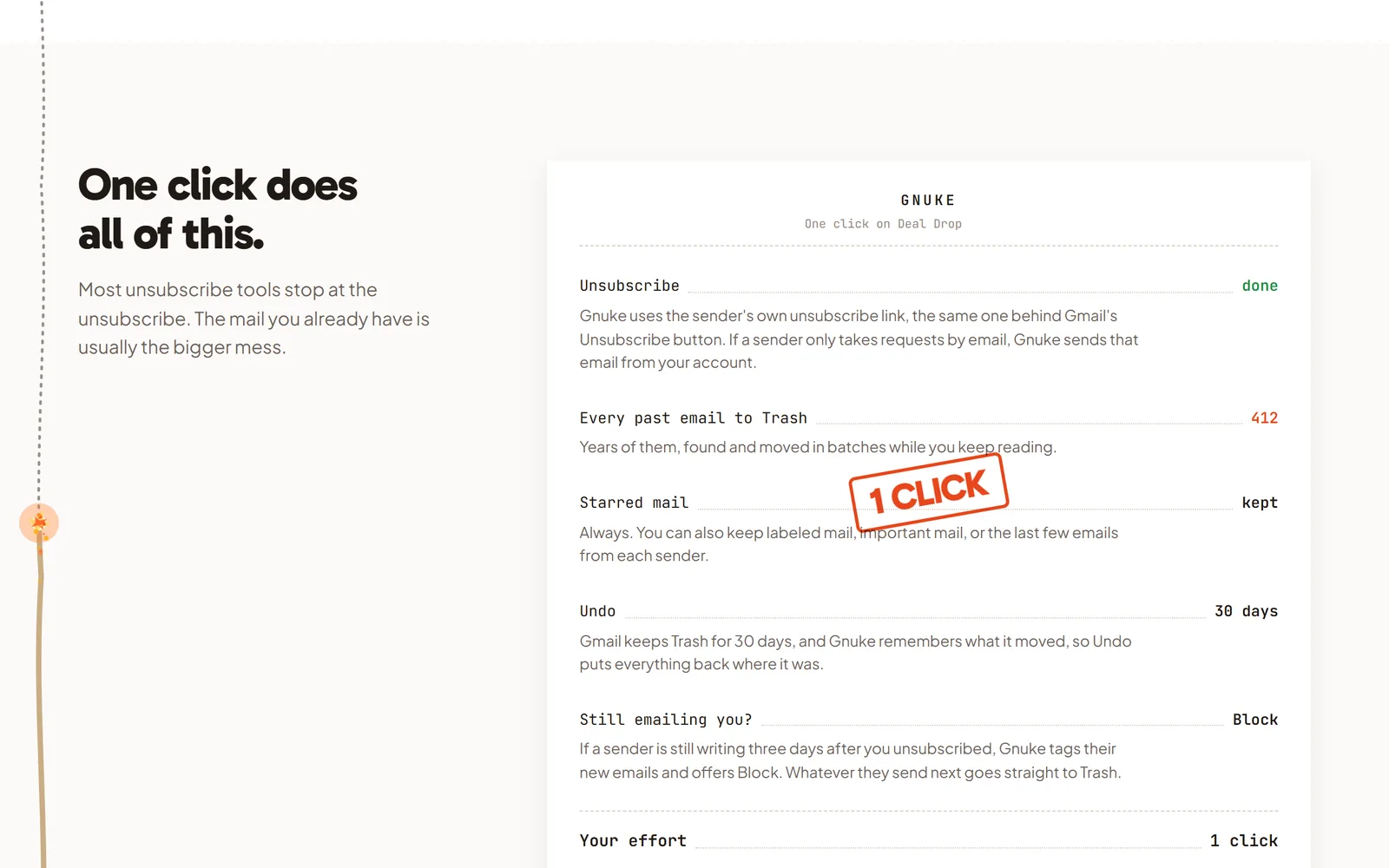
Everything goes to Gmail's Trash, so Undo works for 30 days and nothing is deleted permanently. Starred mail is never touched. You can also keep labeled mail, important mail, or the sender's newest 1, 3 or 10 emails.
When a sender keeps writing more than three days after you unsubscribed, Gnuke tags the new mail as "Still emailing you" and offers Block, so whatever they send next goes straight to Trash. A single click on a domain nukes every address at that company.
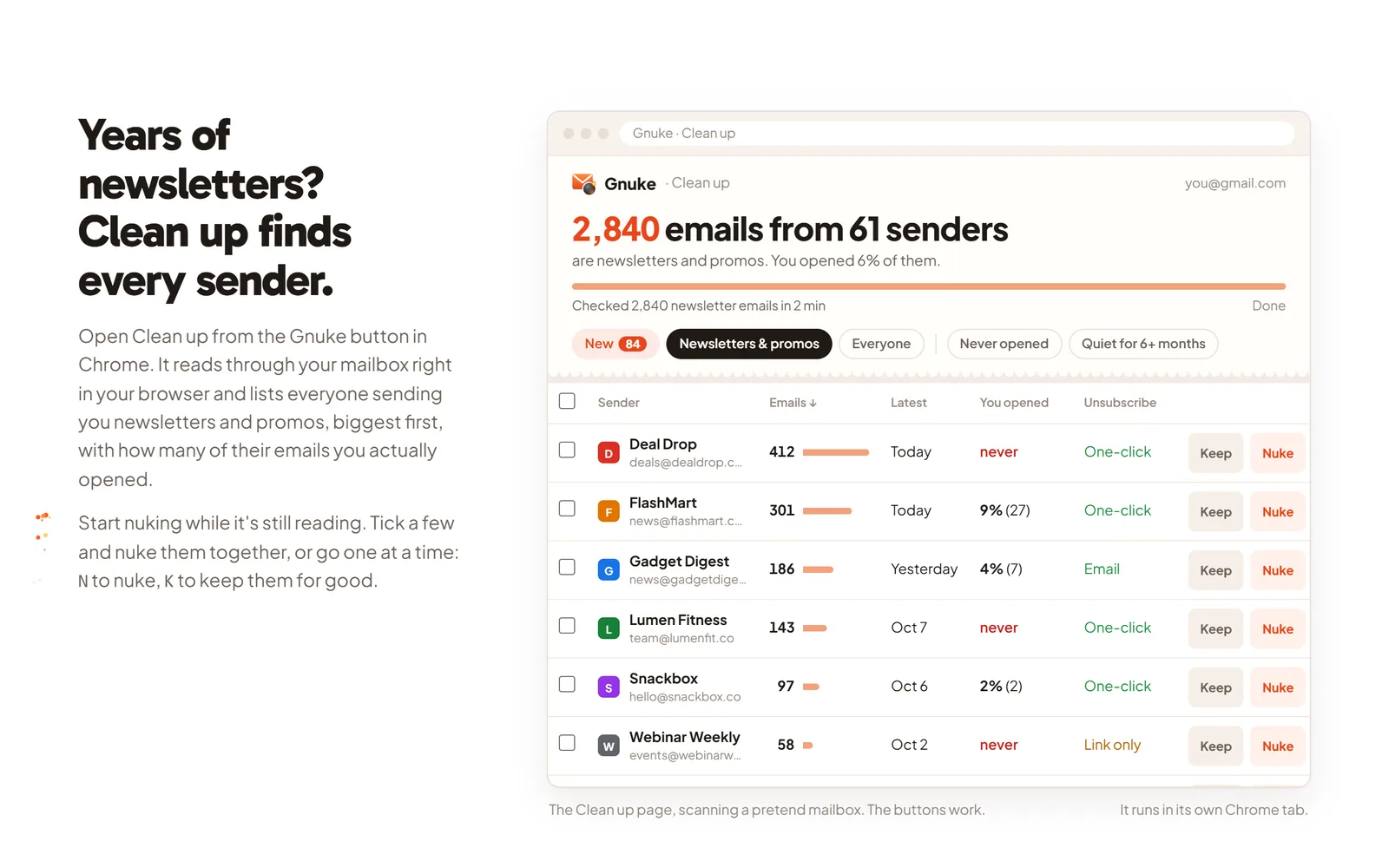
For the backlog, open Clean up. It ranks senders by how many emails they sent and how often you open them, with "Never opened" and "Quiet for 6+ months." Tick as many as you want and nuke them together. The phone app at app.getgnuke.com does the same from your phone.
Where Gmail's tool is better#
- It's built in, so there's nothing to install and no extra permission to grant.
- It's free. Gnuke's free plan has every feature but caps you at 10 nukes a month. Gmail's tool has no cap described.
- It's in the Gmail app. Google lists it on web,
 Android and iOS. Gnuke's phone app is a web app you open at app.getgnuke.com, not a button inside the Gmail app.
 - It unsubscribes you from every active mailing list tied to a sender, which a single email's Unsubscribe link may not do (Google).
- Mail that slips through after you unsubscribe lands in spam with a banner, and Report not spam brings it back.
- It doesn't remove anything, so it can't remove the wrong thing.
Who should pick which#
Use Manage subscriptions if you only want future mail to stop, you have a handful of senders, and you don't mind leaving the old mail where it is. It's free and one tap away.
Use Gnuke if the real mess is the years of mail already in the inbox, if you have dozens of senders to clear in one sitting, or if some senders ignore the unsubscribe and you want them blocked. You can start free: how it works shows the steps and pricing lists the plans. Unlimited covers every Gmail account you use, up to 5, with a 14-day refund and one-click cancel.
The two also work fine together. Gnuke's unsubscribe is the same kind of request Gmail sends, so you can pick whichever is closer to hand. For other tools, see Gnuke vs  Unroll.me, Gnuke vs
  Clean Email and Gnuke vs
  Trimbox, and for the manual route see how to unsubscribe in bulk.
Sources#
- Google Workspace Updates: Manage email subscriptions in Gmail (July 8, 2025)
- Google: Declutter your inbox with Gmail's newest feature (July 8, 2025)
- Gmail Help: Manage your subscriptions in Gmail
- Gmail Help: Unsubscribe from an email
- PCWorld: Gmail gets new feature to unsubscribe from emails (July 9, 2025)
- Droid Life: Gmail's Manage Subscriptions feature is really here this time (July 8, 2025)
- Popular Science: How to manage all your subscriptions in Gmail (July 27, 2025)
Frequently asked questions
Does Gmail's Manage subscriptions delete the old emails from a sender?
Google's announcement and its help page describe no delete or archive step. The tool asks Gmail to unsubscribe you, and the only thing it offers for mail you already have is a view of every email from that sender, which you reach by clicking the sender's name or avatar. Gnuke trashes that whole history in the same click as the unsubscribe.
Where is Manage subscriptions in Gmail?
On a computer, open Gmail, click More in the left menu, then Manage subscriptions. In the Gmail app it sits in the slide-out menu. Google's help page says the feature is gradually rolling out and may not be available to you yet.
How long does it take for Gmail's unsubscribe to work?
Google says it can take a few days for the sender to unsubscribe you, and that you might still get messages from the sender during that time. Once you unsubscribe, Google says new emails from that sender go to your spam folder.
Is Gmail's Manage subscriptions free?
It's part of Gmail. Google lists it as available to all Google Workspace customers, Workspace Individual subscribers and users with personal Google accounts, and names no separate plan or price. Gnuke's free plan has every feature with 10 nukes a month. Gnuke Unlimited is $29.99 a year or $4.99 a month.
Can I use Gnuke and Manage subscriptions together?
Yes. They don't conflict. Manage subscriptions is a list inside Gmail that unsubscribes one sender per click. Gnuke adds the part Google's pages don't describe: clearing the backlog, blocking senders who ignore the unsubscribe, nuking a whole domain, and selecting many senders at once.