 Gnuke
Gnuke SaneBox and
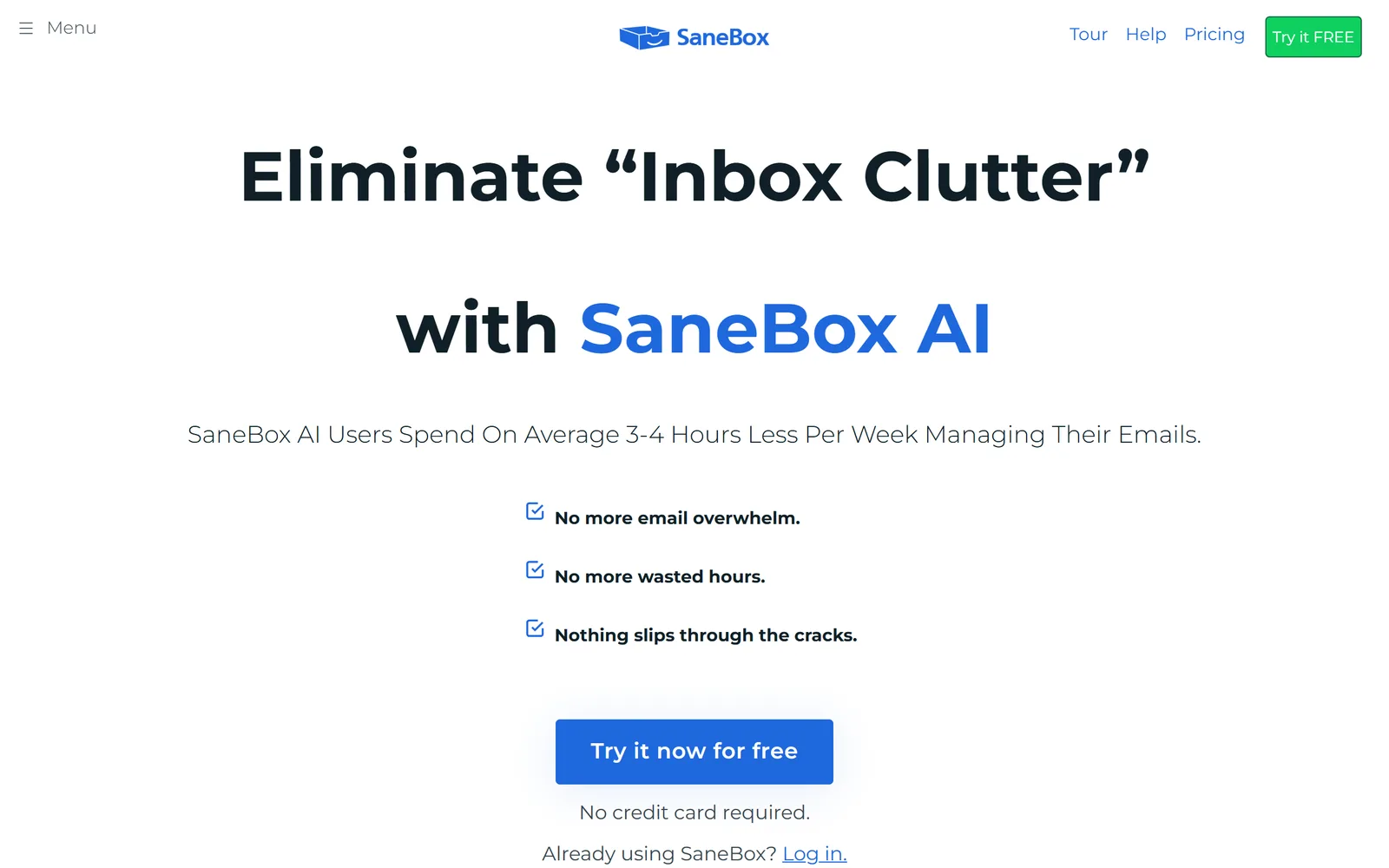
  Gnuke both promise a calmer inbox, but they work on different mail. SaneBox sorts what arrives every day, on its servers, for
  Gmail, Microsoft 365,
  iCloud,
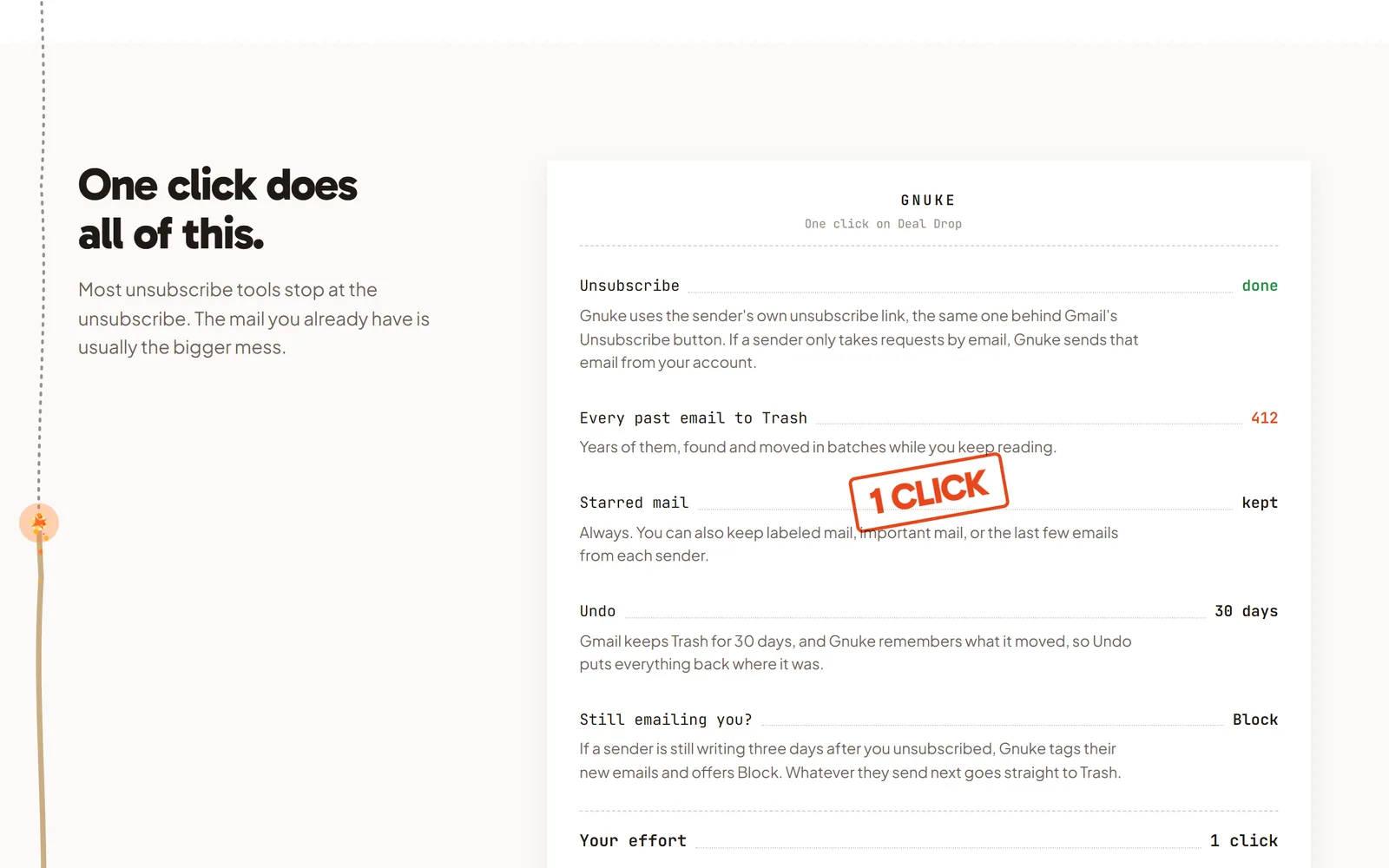
  Yahoo and more. Gnuke removes what you don't want from Gmail: one tap on a sender unsubscribes you and moves everything they ever sent to Trash, and from then on it can block that sender and clear new junk on a schedule. None of it passes through a Gnuke server.
The short version#
SaneBox watches your incoming mail and files the unimportant messages into folders such as SaneLater and SaneNews, so your inbox shows what matters. It also sends a daily digest and reminders. Gnuke doesn't sort anything. You see a sender in Gmail, tap, and the sender is unsubscribed and every email from them is in Trash, with Undo for 30 days. Then it keeps going. Block sends a sender's future mail straight to Trash with a Gmail filter, and on Unlimited, auto cleanup runs every day or once a week at a time you pick, moving newsletters and promos older than a week, a month or 3 months to Trash, plus anything new from senders you already nuked.
So both keep working after day one. The difference is what they do with the mail. SaneBox files it into folders for you to read later. Gnuke gets rid of it.
Side by side#
| Gnuke | SaneBox | |
|---|---|---|
| Main job | GnukeUnsubscribe from a sender and clear their whole history in one tap, then keep Gmail clear with Block and scheduled auto cleanup | SaneBoxSort new mail into folders (SaneLater, SaneNews, SaneBlackHole), plus a daily digest and reminders (source) |
| Email providers | GnukeGmail | SaneBoxGmail, Microsoft 365, iCloud, Yahoo, Fastmail, and any IMAP, Exchange or ActiveSync server (source) |
| Platforms | GnukeChrome extension for Gmail on a computer, plus a phone app | SaneBoxWorks in any mail app, because its folders live on your mail server (help). iOS and Android apps (pricing) |
| New mail | GnukeBlock sends a sender's future mail straight to Trash with a Gmail filter. Auto cleanup (Unlimited) runs daily or weekly at a time you pick: newsletters and promos older than a week, a month or 3 months go to Trash, plus new mail from senders you already nuked. Gnuke also tells you when a nuked sender is back | SaneBoxLearns from your training and files unimportant mail into folders as it arrives |
| Mail you already have | GnukeEvery email a sender ever sent goes to Trash in the same click. Clean up lists newsletter and promo senders with the storage each takes | SaneBoxEmail Deep Clean: pick a date range, SaneBox scans, then you choose senders to move to Trash (help) |
| Unsubscribing | GnukeOne-click request when the sender supports it, otherwise an unsubscribe email from your address, otherwise opens the sender's page | SaneBoxA setting unsubscribes you from a mailing list when you train it into SaneBlackHole (help) |
| Undo | Gnuke30 days, nothing deleted permanently. Starred mail always stays | SaneBoxMail goes to Trash. SaneBlackHole holds mail 7 days, then moves it to Trash (help) |
| Where your mail is processed | GnukeIn your browser or on your phone. No Gnuke server sees your mail | SaneBoxOn SaneBox's servers, which connect to your mail account. Says it reads headers, and some features download full messages temporarily (help) |
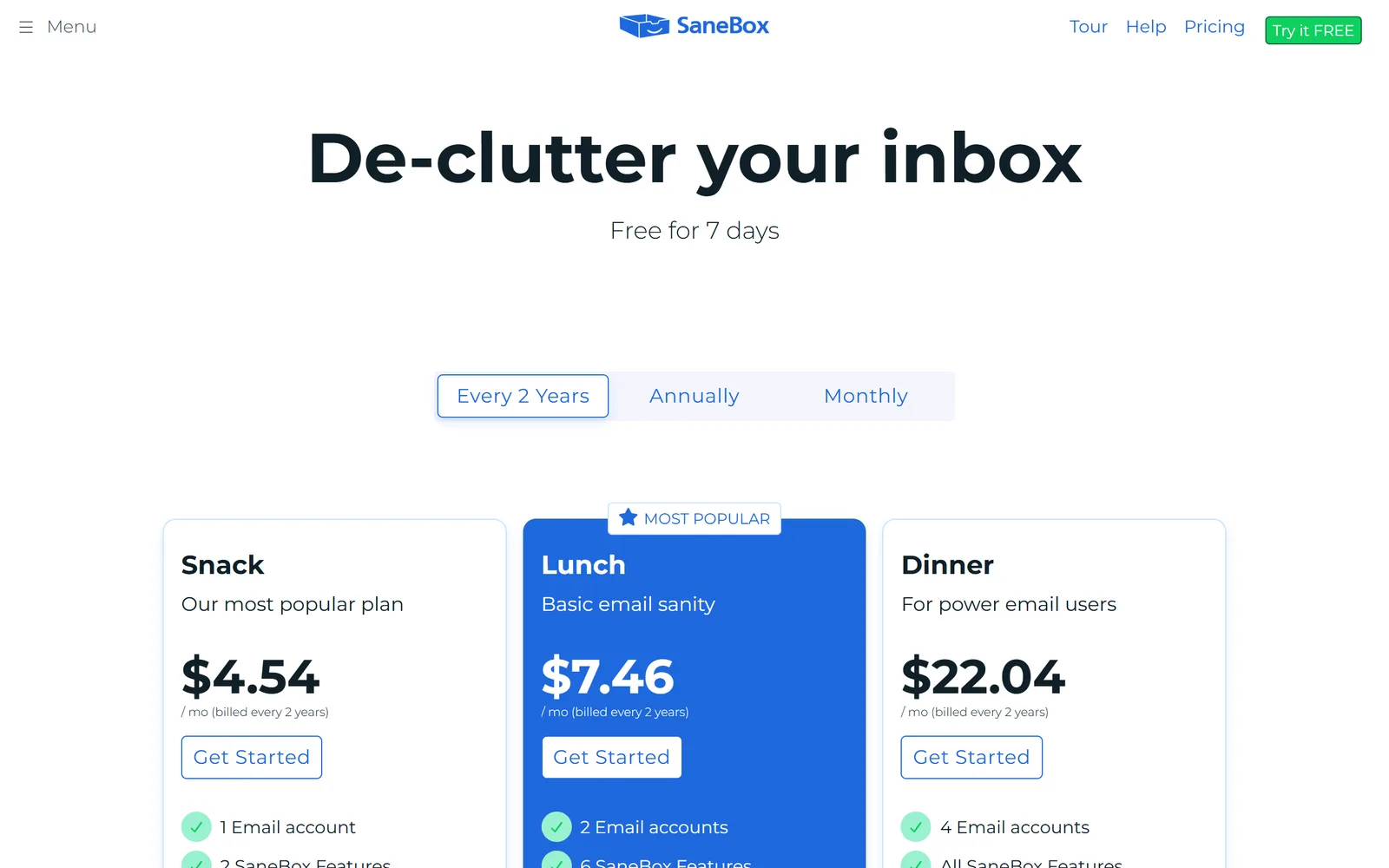
| Price | GnukeFirst 10 nukes free, every feature but auto cleanup. Unlimited is $29.99 a year or $4.99 a month, for up to 3 Gmail accounts | SaneBox7-day free trial, no free plan. Snack (1 account) $9.49 a month or $5.42 a month billed annually; Lunch (2) $15.99 or $9.08; Dinner (4) $42.99 or $26.58 (pricing) |
| Track record | GnukeNew, pre-launch | SaneBoxFounded 2010, self-funded (Wikipedia). 4.8 stars from 759 reviews on Trustpilot |
We checked this table on October 21, 2026, against SaneBox's home page, pricing page and help center. Plans and features change.
The real differences#
Sorting new mail versus clearing old mail#
SaneBox's core feature is SaneLater. Mail from senders you rarely engage with moves out of the inbox into a folder, SaneNews rounds up newsletters, and SaneBlackHole keeps a sender's future mail out of your inbox (tour). You teach it by dragging messages between your inbox and its folders (help). Reviewers on Trustpilot say the start takes some training, and some describe about a month before the sorting felt right (Trustpilot, third-party review).
Gnuke has no training period. It acts on the senders you pick and the auto cleanup rule you set: how old the mail has to be and how often it runs. It won't triage your inbox into read-later folders. What it does is get rid of the junk and keep it from piling back up, which suits "my Gmail is full of newsletters I never opened."
Both can clear old mail, in different ways#
SaneBox does have an answer for the backlog. Email Deep Clean is included in every plan. It scans mail older than a date you pick, looks for the contacts, newsletters and stores that send the most or the largest mail, emails you when the analysis is done, and then moves the senders you select to Trash. It warns the analysis can take a while on a large mailbox (help). The help page doesn't say whether it also unsubscribes you or offers an Undo.
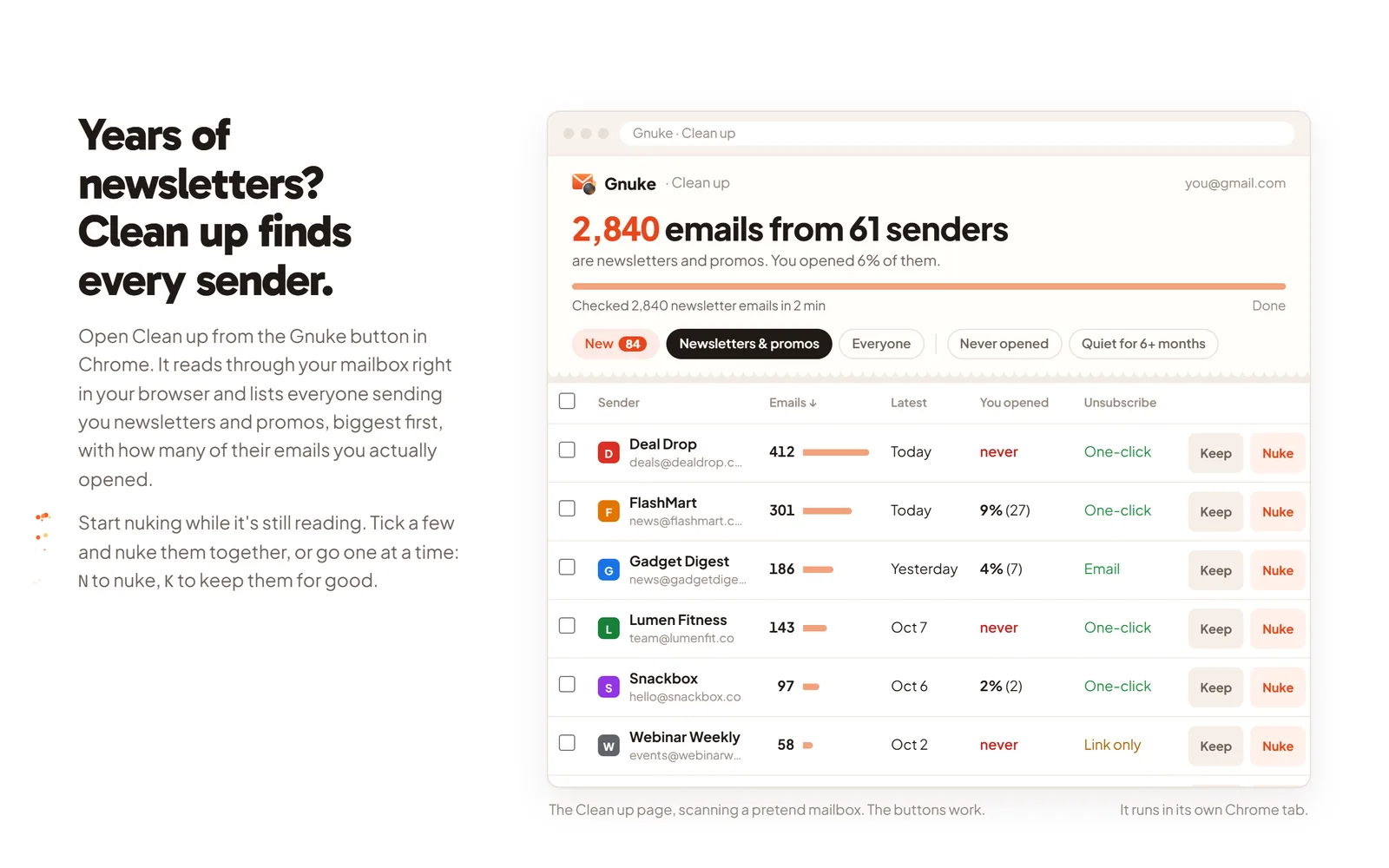
Gnuke's Clean up works inside your own browser. It lists every newsletter and promo sender, ranks them by how much they send and how often you open them, and shows an estimate of how much storage each sender's mail takes. Tick several senders and nuke them together. Each nuke unsubscribes you the best way the sender allows, then moves their whole history to Trash.
Where your mail is processed#
SaneBox connects to your mail account from its own servers. Its site says it uses OAuth where the mail service supports it, looks at the sender, subject line and date, and never stores full emails or attachments (sanebox.com). Its help page says it analyzes headers only, and that SaneFwd and SaneAttachments temporarily download emails to forward them or handle attachments (help). It also says headers and other information it handles are deleted when you cancel.
Gnuke has no such server. It talks to Gmail straight from your browser or phone, so nobody at Gnuke can see your inbox. The one server in the system is a small reminder service for the optional weekly phone notification, and it keeps only a push address and the day and hour you picked. Details are in the privacy policy.
SaneBox states its approach openly, so this is a design choice, not a catch. It matters most if you'd rather your mail not pass through someone else's machine.
Undo and safety#
Gnuke never deletes anything permanently. Everything lands in Gmail's Trash, and Undo puts it all back for 30 days. Starred mail always stays, and you can choose to keep labeled mail, important mail, and the sender's newest 1, 3 or 10 emails. Senders on your keep list are never offered for nuking.
SaneBox moves mail to Trash and to its own folders rather than erasing it. For SaneBlackHole it says mail stays there 7 days before moving to Trash, and that it clears the newest items early if the Sane folders pass 5,000 messages combined or SaneBlackHole passes 250 (help).
What it costs#
SaneBox has no free plan. It offers a 7-day trial of every feature for up to 4 accounts. The paid plans differ by how many accounts you connect and how many of its extra features you can switch on: Snack gives each account 2 features, Lunch gives each account 6, and Dinner has them all (pricing). A Snack plan for one account is $65 a year when billed annually. These are the prices on sanebox.com on October 21, 2026.
Gnuke's first 10 nukes are free, and Block is included. Unlimited is $29.99 a year or $4.99 a month, covers up to 3 Gmail accounts, and adds auto cleanup. Gnuke removes mail rather than sorting it, so the two prices don't buy the same thing.
Where SaneBox is better#
- It works with Microsoft 365, iCloud, Yahoo, Fastmail, any IMAP, Exchange or ActiveSync server, and Gmail. Gnuke only works with Gmail.
- It sorts. SaneLater, SaneNews, the daily digest, reminders and snooze organize new mail as it arrives. Gnuke's ongoing tools, Block and auto cleanup, remove mail instead of filing it, and auto cleanup runs while
 Chrome is open.
 - Its folders appear in every mail app and on every device, because they live on your mail server.
- It has iOS and
 Android apps, and its pricing page cites more than 100,000 users. Gnuke is new.
 - It's been around since 2010.
Using both#
They overlap less than it looks, so nothing stops you from running both. Let SaneBox sort the mail you might want later. Let Gnuke remove the mail you don't: clear the backlog of old newsletters and promos once with Clean up (and see how much storage they take), block the senders that won't stop, and turn on auto cleanup for the rest. Add the senders you care about to Gnuke's keep list first, so they're never offered for nuking.
Who should pick which#
Pick SaneBox if your mail is on Microsoft 365, iCloud or Yahoo, if you want AI to sort mail into read-later folders rather than remove it, or if you want reminders and snoozing built into your inbox and don't mind a service connecting to your mail account.
Pick Gnuke if your mail is on Gmail and it's full, you want junk gone and not just moved to a folder, you want new junk to keep going to Trash on a schedule without training anything, you want to see how much storage each sender takes, or you want nothing about your inbox to touch a server. You can try it free: how it works and pricing show the details.
For other comparisons, see Gnuke vs  Clean Email, Gnuke vs
  Unroll.me, Gnuke vs
  Trimbox and Gnuke vs Gmail's Manage subscriptions. To learn the manual route first, read how to delete all emails from one sender in Gmail or how to unsubscribe in bulk.
Sources#
- SaneBox
- SaneBox pricing
- SaneBox tour
- SaneBox help: How does SaneBox work?
- SaneBox help: Can SaneBox read my email?
- SaneBox help: Email Deep Clean
- SaneBox help: SaneBlackHole
- SaneBox help: Training SaneBox
- SaneBox on Trustpilot
- SaneBox on Wikipedia
- SaneBox review (third-party cross-check of prices and features, September 2026)
Frequently asked questions
Is SaneBox worth it for Gmail?
It depends on the problem. SaneBox is built to sort the mail that arrives every day, so it pays off if your inbox fills up with messages that aren't urgent and you'll keep up with its training. It starts at $9.49 a month or $5.42 a month billed annually for one account, with a 7-day free trial. If the real problem is years of old newsletters already in Gmail, Gnuke clears those one sender at a time, and the first 10 nukes are free.
Does SaneBox read my emails?
SaneBox says it analyzes email headers and never downloads the full message body, but its help page adds that two features, SaneFwd and SaneAttachments, temporarily download emails. It connects to your mail account from its own servers. Gnuke has no servers that see your mail: it works from your browser or phone straight to Gmail.
How much does SaneBox cost?
On sanebox.com in October 2026: Snack (1 account) is $9.49 a month or $5.42 a month billed annually, Lunch (2 accounts) is $15.99 or $9.08, and Dinner (4 accounts) is $42.99 or $26.58. The 7-day free trial covers every feature. Gnuke's first 10 nukes are free, and Unlimited is $29.99 a year or $4.99 a month for up to 3 Gmail accounts.
Can SaneBox clean out old emails?
Yes, with Email Deep Clean, which is included in every plan. You pick a date range, SaneBox scans your account on its servers and emails you when the analysis is done, then you choose senders and their mail moves to Trash. Gnuke's Clean up does that inside your browser, lists newsletter and promo senders with the storage each one takes, and unsubscribes you in the same click.
Is there a free SaneBox alternative for Gmail?
Gnuke's first 10 nukes are free, and each nuke can clear a sender's entire history, so many people clear the worst offenders without paying. SaneBox has no free plan, only a 7-day trial. Gnuke works with Gmail only.
Can I use Gnuke and SaneBox together?
Yes. SaneBox files the mail you might want later into folders. Gnuke removes the mail you don't want: it clears the years already in Gmail, Block sends a sender's future mail straight to Trash, and on Unlimited, auto cleanup keeps clearing old newsletters and promos on a schedule. Nothing about one requires the other.