 Gnuke
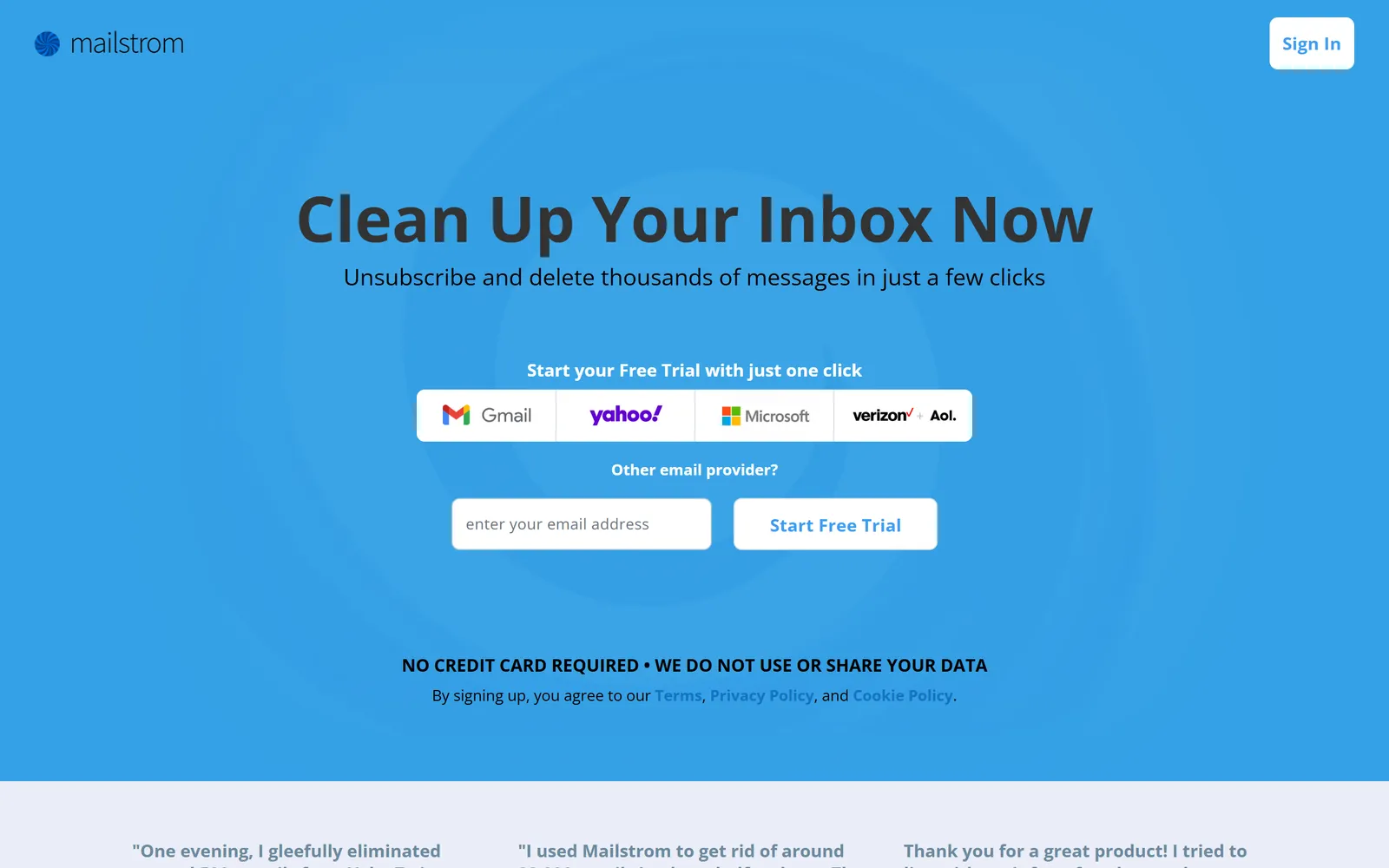
 Mailstrom launched in 2013. You connect a mailbox to its website, it groups your mail into bundles, and you delete, archive or move whole bundles at once.
 Gnuke is a
 Chrome extension that works inside
 Gmail: one click on a sender unsubscribes you and moves everything they ever sent to Trash. Mailstrom supports more mailboxes and has more tools for sorting. Gnuke costs about half as much, keeps a 30-day Undo, and never sends your mail to a server.
The short version#
Both tools unsubscribe you, remove mail in bulk, and keep working after the first cleanup. Mailstrom does that from its own servers, for Gmail,  Yahoo,
 Outlook,
 AOL,
 iCloud and other IMAP mailboxes, with extras like Chill (hide mail until a date you pick) and Expire (move a sender's mail out of your inbox after a time you set). Gnuke does it only for Gmail, from your own browser or phone. Block files a sender's future mail straight to Trash, and on Unlimited, auto cleanup keeps clearing old newsletters and promos on a schedule.
The biggest gaps are price, privacy design and how far one click reaches. Mailstrom's plans run $59.95 to $199.95 a year. Its FAQ says it keeps subject lines and metadata on its servers and can access message contents. Its help describes working on your Inbox, while Gnuke's one click covers a sender's whole history.
Side by side#
| Gnuke | Mailstrom | |
|---|---|---|
| Main job | GnukeUnsubscribe from a sender and clear their whole history in one click, then keep Gmail clear with Block and scheduled auto cleanup | MailstromBulk delete, archive and move by "bundles" of related mail, plus unsubscribe, Block, Chill, Expire and rules (FAQ) |
| Price | GnukeFirst 10 nukes free, every feature but auto cleanup. Unlimited is $29.99 a year or $4.99 a month, for up to 3 Gmail accounts | MailstromNo free plan. Basic (1 account) $9 a month or $59.95 a year, Plus (3) $14 or $99.95, Pro (20) $29.95 or $199.95 (pricing). Prepaid and non-refundable (terms) |
| Free trial | GnukeThe first 10 nukes, each of which can clear a sender's full history | MailstromNo credit card. A one-time snapshot of up to your latest 5,000 inbox messages, and you can act on 25% of them (FAQ) |
| Mailboxes | GnukeGmail | MailstromGmail, Yahoo, Outlook.com and Exchange, AOL, iCloud and other IMAP providers. No POP (FAQ) |
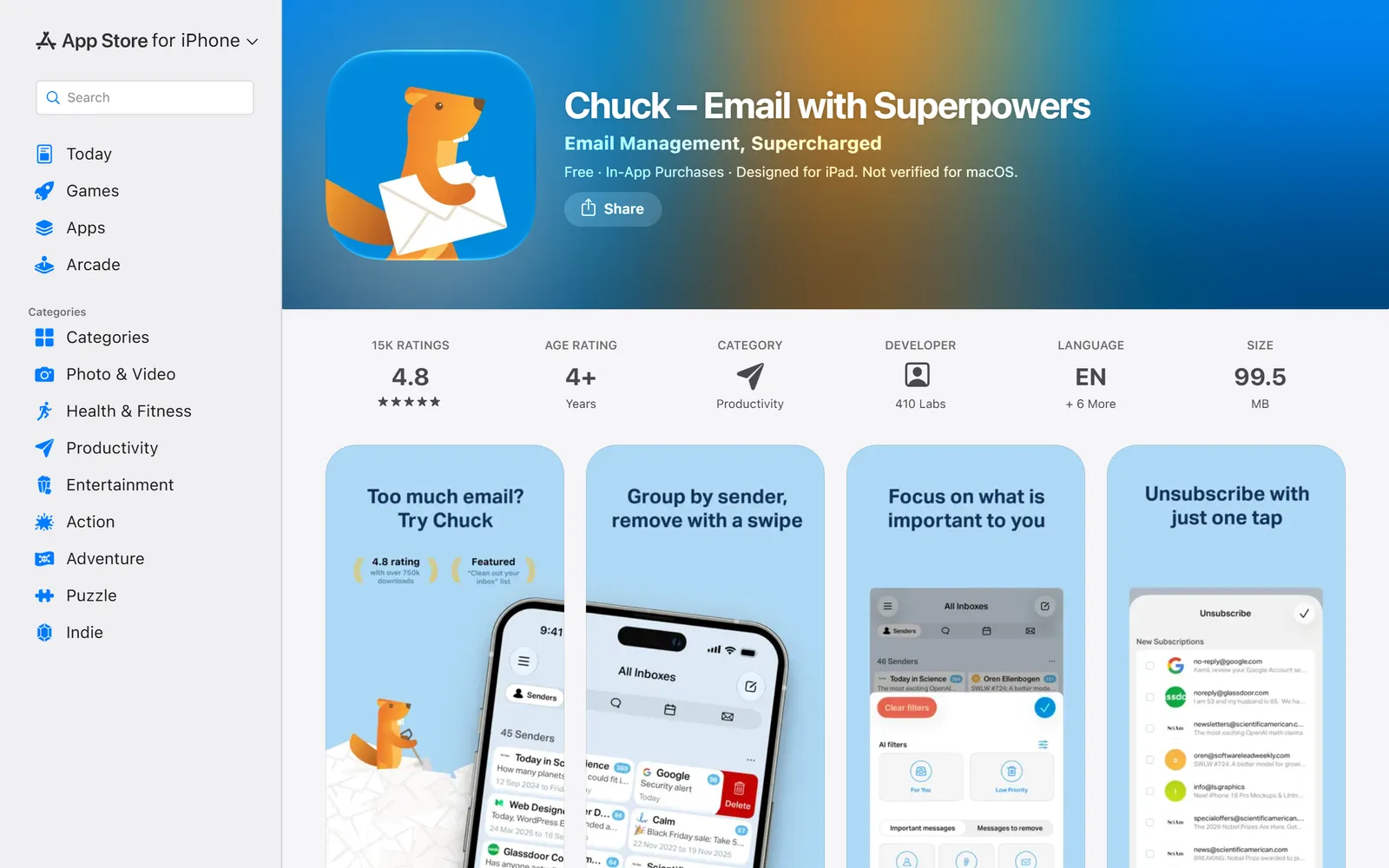
| Platforms | GnukeChrome extension for Gmail on a computer, plus a phone app | MailstromA website you use in a browser. The separate Chuck iPhone app (4.8 stars, about 15,000 ratings) is included with a subscription (App Store, Mailstrom) |
| Unsubscribe | GnukeOne-click request when the sender supports it, otherwise an unsubscribe email from your address, otherwise opens the sender's page | MailstromEmails the list owner, or opens the unsubscribe page in a new tab when there's no address (FAQ) |
| Old mail from a sender | GnukeA sender's whole history goes to Trash in the same click | MailstromDelete, archive or move bundles of Inbox mail. Its FAQ says it can't yet organize folders other than your Inbox (FAQ) |
| Ongoing cleanup | GnukeBlock sends future mail to Trash. Auto cleanup (Unlimited) runs daily or weekly and clears old newsletters and promos | MailstromBlock, Expire and recurring-move rules for subscribers, plus daily or weekly email reports (FAQ) |
| Undo | Gnuke30 days, nothing deleted permanently | MailstromUndo from a task list. Gmail Trash empties after some days. No Undo window stated (FAQ) |
| What stays | GnukeStarred mail always. Optionally labeled mail, important mail, and the newest 1, 3 or 10 emails | MailstromYou pick what to act on. No protect-starred setting described (FAQ) |
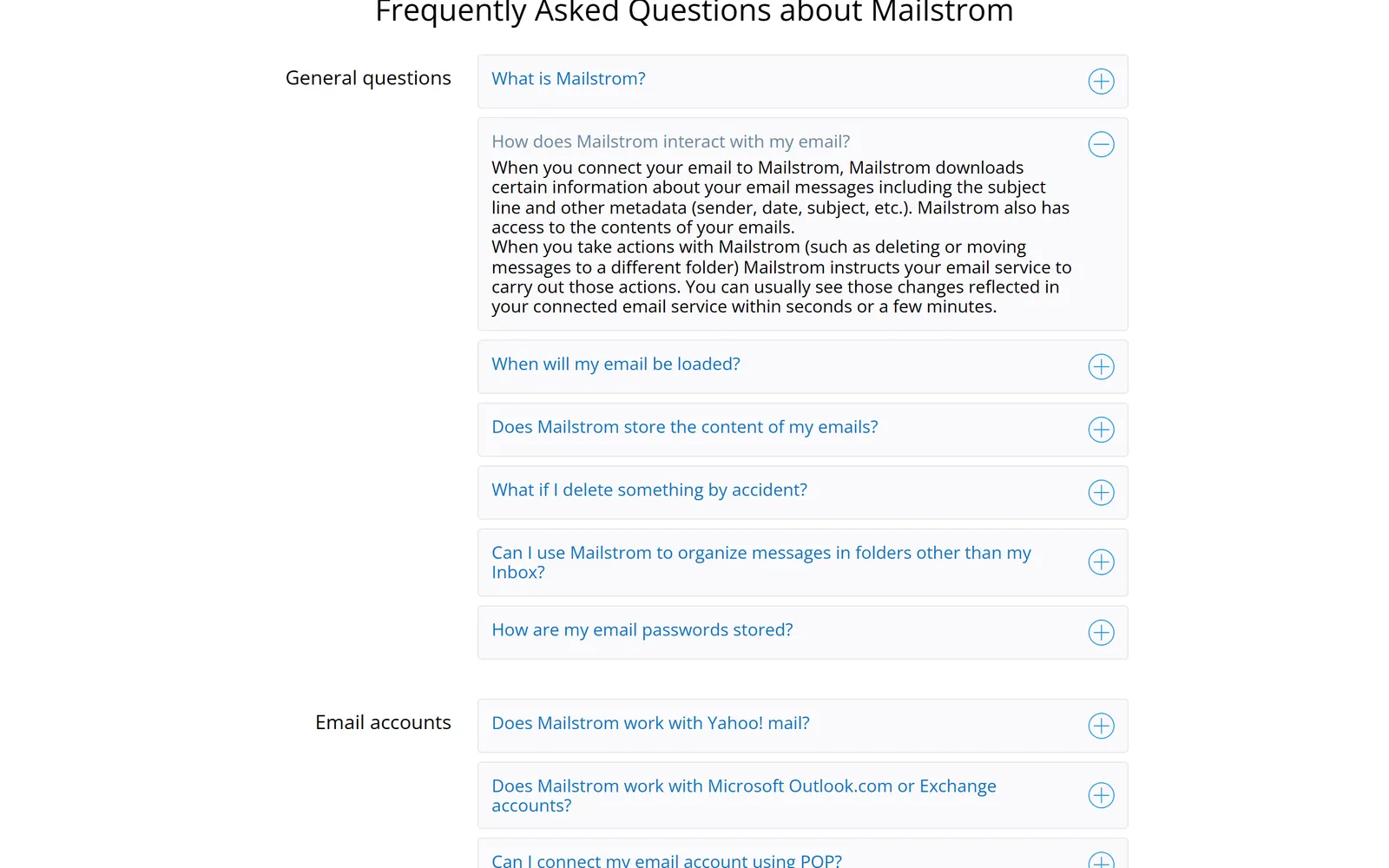
| Where your mail is processed | GnukeIn your browser or on your phone. No Gnuke server sees your mail | MailstromOn Mailstrom's servers, which store subject lines and metadata and "also have access to the contents of your emails" (FAQ) |
| Data practices | GnukeNo analytics, ads or tracking in the extension or phone app. Nothing sold | MailstromSays it doesn't sell data or use it for ads. Site cookies include Google Analytics, DoubleClick and Facebook (privacy, cookies) |
We checked this table on October 23, 2026, against Mailstrom's home page, pricing page, FAQ, privacy policy, terms, cookie policy and  App Store listing. Plans and features change. Mailstrom's own blog quotes slightly different prices ($59.99 a year, $9.95 a month) from its pricing page, so we used the pricing page.
The real differences#
Where your mail is processed#
Mailstrom connects to your mailbox from its own servers. Its home page says that for Gmail, Outlook and Yahoo it uses IMAP through OAuth2, "so we never have your password." Its FAQ says it downloads subject lines and other metadata, that it "only stores subject lines and metadata on its servers," and that it "also has access to the contents of your emails," which it uses to display messages. Actions you take are passed back to your mail provider.
Its other statements are friendlier. The home page says "WE DO NOT USE OR SHARE YOUR DATA," and an article on its blog says it "never reads the body content of your emails." Its privacy policy says staff can't view your data without your consent except to investigate a bug or abuse for security, to comply with the law, or for internal operations on aggregated, anonymized data. It also says Mailstrom doesn't use your data for advertising and follows  Google's Limited Use rules. Its GDPR page says it doesn't sell data and lists its vendors: your mail provider, Google, Stripe, IBM (Softlayer),
 Amazon AWS, Front, Sentry, Bento and Stape.
The privacy policy is stamped "Updated December 2, 2020" and the terms "Updated February 15, 2016." After you delete your account, the policy says Mailstrom keeps your data for up to three months. We found no independent security audit of Mailstrom in public sources.
Gnuke has no such server. It reads message metadata (sender, subject, unsubscribe headers, read or unread) in your own browser or phone, and opens a message body only when it needs an unsubscribe link the headers don't carry. Nothing about your senders or what you nuke leaves your device. See the privacy policy and how it works.
One click on a sender versus acting on bundles#
Mailstrom's idea is grouping. It identifies bundles of related mail, and you act on them as a group, "tens, hundreds, or thousands" at a time, then choose to delete, archive, move, block or unsubscribe. Its home page calls it "a power tool that amplifies your human intelligence," not an AI that guesses. That suits people who want to inspect and sort before acting.
Gnuke makes the sender the unit. One click unsubscribes you the best way the sender allows and moves every email they ever sent to Trash. Clean up ranks newsletter and promo senders by how much they send and how often you open them, so you can tick several and nuke them together. Mailstrom's FAQ says it works on your Inbox and can't yet organize other folders, and its trial loads only the latest 5,000 inbox messages. It doesn't describe a one-click clear of a sender's mail that has already left the Inbox.
Undo and what stays#
Both tools move mail rather than erase it. Mailstrom's FAQ says none of its actions are permanent, and that an Undo feature reverses any command from your task list. It also warns that Trash is often emptied after some days, so you should fix a mistake quickly. It doesn't give an Undo window. We found nothing in its FAQ, pricing page or terms about protecting starred mail.
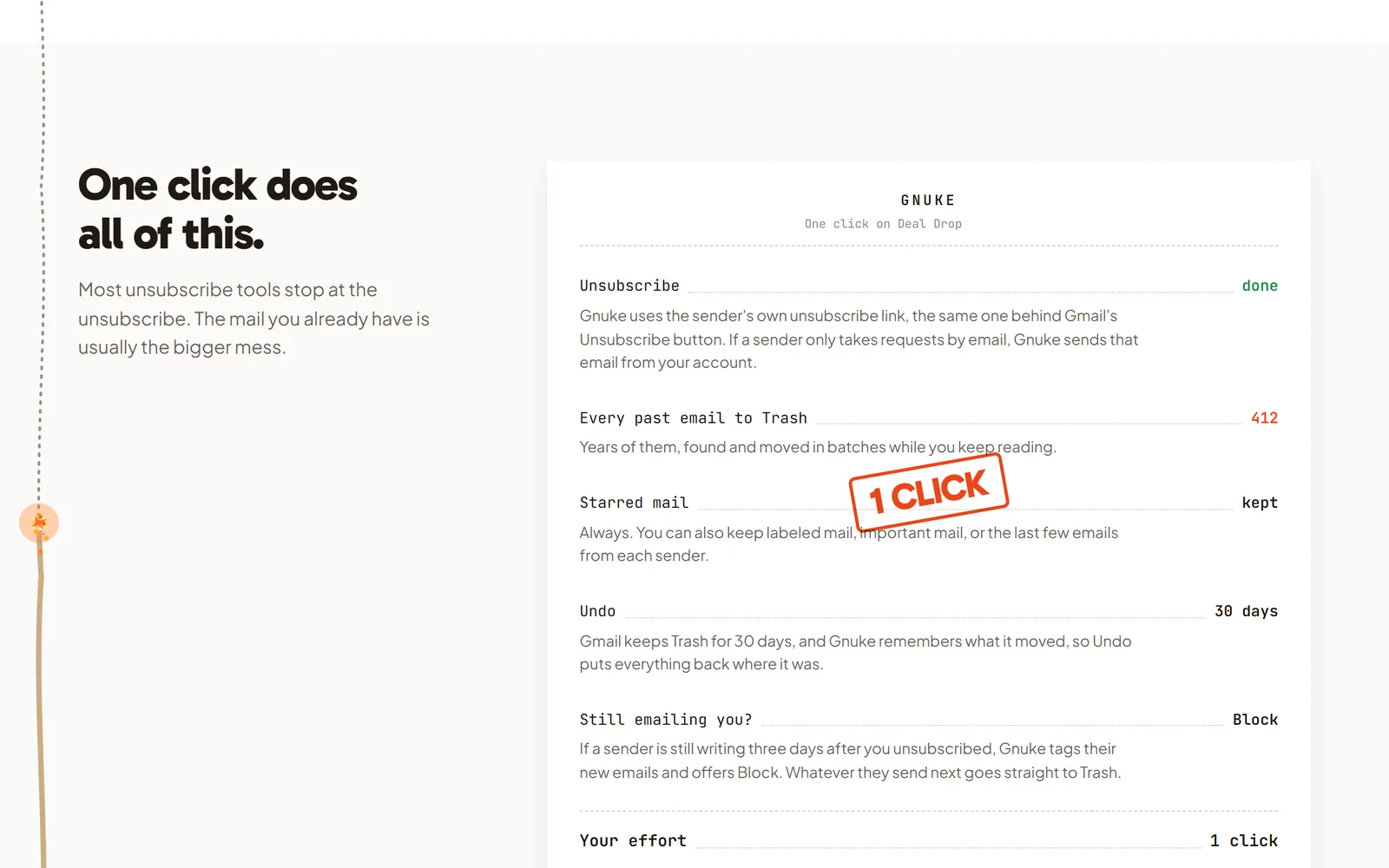
Gnuke records what it moved, and Undo puts it all back for 30 days. Starred mail always stays, and you can also keep labeled mail, important mail, or a sender's newest 1, 3 or 10 emails. Senders on your keep list are never offered for nuking.
Keeping the inbox clear afterward#
Neither tool is a one-time cleaner. On Mailstrom, subscribers get Block, Expire, recurring moves and custom rules. Expire moves a sender's mail out of your inbox after a period you choose, and Chill hides mail and returns it on a date you pick. A subscription also covers daily or weekly email reports. The plans cap how many rules you get: 200 smart filters on Basic, 400 on Plus, 1,000 on Pro.
On Gnuke, Block sends a sender's future mail to Trash with a Gmail filter, and it's available in the free nukes. Unlimited adds auto cleanup, which runs daily or weekly at a time you pick and moves newsletters and promos older than a week, a month or 3 months to Trash, plus anything new from senders you already nuked. Gnuke also flags senders that keep mailing after you unsubscribed and tells you when a nuked sender is back.
What it costs#
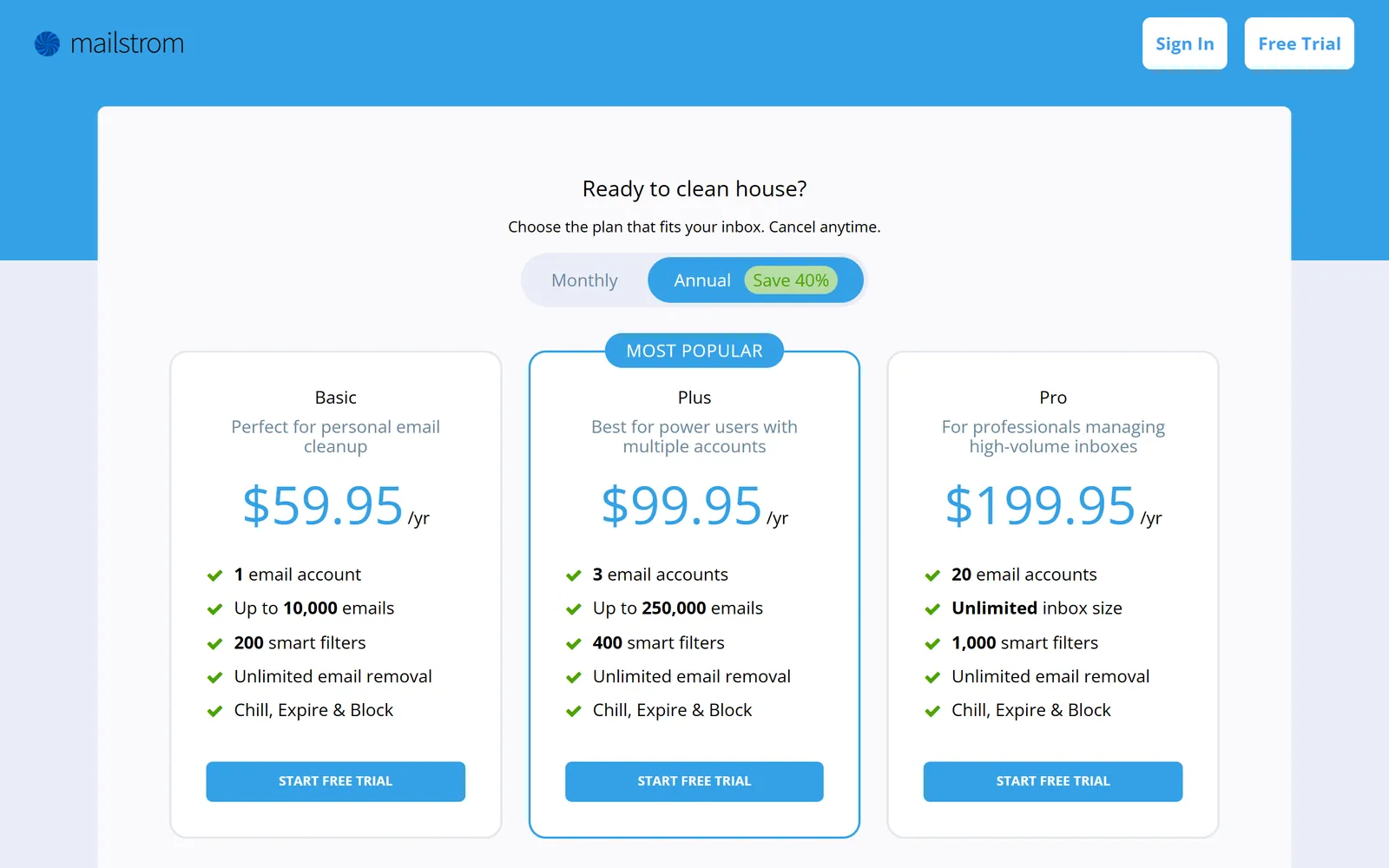
Mailstrom has no free plan. The trial is a snapshot of up to 5,000 inbox messages, with 25% of them open to action. The paid tiers differ by accounts and mailbox size: Basic covers one account and up to 10,000 emails, Plus covers three accounts and up to 250,000 emails, and Pro covers 20 accounts and unlimited inbox size. Cancel anytime, but plans are prepaid and the terms say there are no refunds for partial months or years.
Gnuke's first 10 nukes are free. Unlimited is $29.99 a year or $4.99 a month and covers up to 3 Gmail accounts. For three accounts, that's $29.99 against Mailstrom Plus at $99.95. The comparison only holds for Gmail, because Gnuke doesn't work with other providers.
Who runs it#
Mailstrom is made by 410 Labs, Inc. of Baltimore, Maryland, according to its terms and privacy policy. 410 Labs describes itself as "a lean product studio" and also makes Chuck, an  iPhone email app (410labs.com). TechCrunch covered Mailstrom's official debut in March 2013. We found no report of an acquisition or outside owner.
On iPhone, the Chuck App Store listing is free with Chuck Pro subscriptions. Its App Privacy label says purchases, identifiers and usage data may be used to track you across other companies' apps and websites. Mailstrom's privacy policy doesn't mention Chuck.
Where Mailstrom is better#
- It works with Gmail, Yahoo, Outlook.com, Exchange, AOL, iCloud and other IMAP mailboxes. Gnuke only works with Gmail.
- It launched in 2013, so it has a longer track record than Gnuke.
- Chill and Expire give you more ways to handle mail than delete or keep: hide it until Thursday, or let a sender's mail age out.
- It manages up to 20 accounts on its top plan, and it's built for very large mailboxes. Gnuke covers up to 3 Gmail accounts.
- It has a native iPhone app in Chuck, included with a subscription. Gnuke's phone version is a web app you add to your Home Screen.
- Bundles let you review related mail before you act. Gnuke's one-click default is faster but gives you less to inspect.
Who should pick which#
Pick Mailstrom if your mail isn't only Gmail, you manage several mailboxes, you like sorting through grouped mail by hand, or you want Chill and Expire. The trade is that your mail goes through its servers.
Pick Gnuke if your mail is on Gmail and you want a sender gone with one click, a 30-day Undo, starred mail left alone, and nothing about your inbox leaving your device. It's also the cheaper route to keeping new junk out, at $29.99 a year. Look at how it works and pricing before you install.
Weighing other tools? See Gnuke vs  Clean Email, Gnuke vs
 Trimbox, Gnuke vs
 SaneBox, Gnuke vs
 Unroll.me and Gnuke vs Gmail's Manage subscriptions. To learn the manual route first, read how to delete all emails from one sender in Gmail, how to unsubscribe in bulk or how to block an email address in Gmail. The iPhone and
 Android route for Gnuke is on the phone page.
Sources#
- Mailstrom home page
- Mailstrom pricing
- Mailstrom FAQ
- Mailstrom privacy policy, updated December 2, 2020
- Mailstrom terms of service, updated February 15, 2016
- Mailstrom GDPR page and vendor list
- Mailstrom cookie policy
- Mailstrom blog: Best Email Cleanup Tools in 2026 (Chuck Pro included, metadata-only claim)
- Chuck on the App Store (rating, price, App Privacy)
- 410 Labs
- TechCrunch on Mailstrom's 2013 debut
 Chrome Web Store search for "mailstrom" (no results on October 23, 2026)
- Google Play search for Mailstrom (no Mailstrom listing on October 23, 2026)
Frequently asked questions
Is Mailstrom free?
Only as a trial. Mailstrom's free trial needs no credit card, but it takes a one-time snapshot of up to your latest 5,000 inbox messages and lets you delete, archive or move 25% of them. Paid plans start at $9 a month or $59.95 a year for one account. Gnuke's first 10 nukes are free with every feature but auto cleanup, and each nuke can clear a sender's whole history.
Is Mailstrom safe?
Mailstrom connects to Gmail, Outlook and Yahoo through OAuth, so it never has your password, and its policy says it doesn't use your data for advertising. It does work from its own servers: its FAQ says it stores subject lines and metadata there and "also has access to the contents of your emails." Its privacy policy was last updated December 2, 2020. We found no independent security audit of it. Gnuke has no server in the middle: it works from your browser or phone straight to Gmail.
Does Mailstrom read my emails?
Its sources disagree on wording. Mailstrom's FAQ says it downloads subject lines and metadata and "also has access to the contents of your emails," which it uses to display messages. An article on its own blog says it "never reads the body content." Access and reading aren't the same thing, but a service that can open message contents on its servers is a different design from a tool that runs on your own device. Gnuke reads message headers in your browser or phone and opens a body only when it needs an unsubscribe link the headers don't carry.
How much does Mailstrom cost?
On mailstrom.co in October 2026: Basic is $9 a month or $59.95 a year (1 email account, up to 10,000 emails), Plus is $14 a month or $99.95 a year (3 accounts, up to 250,000 emails), and Pro is $29.95 a month or $199.95 a year (20 accounts, unlimited inbox size). Plans are prepaid and non-refundable. Gnuke's Unlimited is $29.99 a year or $4.99 a month for up to 3 Gmail accounts.
Does Mailstrom have a Chrome extension or phone app?
Mailstrom itself is a website you open in a browser. We found no Mailstrom listing on the Chrome Web Store or Google Play. Its maker, 410 Labs, has a separate iPhone app called Chuck, rated 4.8 from about 15,000 ratings on the App Store, and Mailstrom says every subscription includes Chuck Pro. Gnuke is a Chrome extension that works inside Gmail, plus a phone app for iPhone and Android.
Can I undo what Mailstrom deletes?
Yes. Mailstrom's FAQ says none of its actions are permanent and that an Undo feature reverses any command from your task list. Deleted Gmail mail goes to Trash, which empties itself after some days, and the FAQ doesn't say how long Undo stays available. Gnuke's Undo works for 30 days, and starred mail always stays.