 Gnuke
Partly.  Gemini in
 Gmail can delete, archive or label every email from a sender when you ask it to, after you confirm. But
 Google's help pages don't say it can unsubscribe you, so the sender keeps writing. And that delete feature needs a paid Google plan. Clearing a newsletter for good takes both jobs: stop the new mail, then clear the old.
Key takeaways
- Gemini in Gmail can delete or archive all mail from one sender on request, with a confirmation, a 60-second undo and a cap of 10,000 threads (Google).
- Google's help pages for Gemini don't list unsubscribing. Gmail's own Unsubscribe link and Manage subscriptions do that part.
- The Gemini app can summarize and search your Gmail, but Google doesn't list deleting there.
 Gnuke does both jobs in one click: it unsubscribes you and moves the sender's past mail to Trash, keeping starred mail.
Want the whole sender gone in one go? See how Gnuke does it.
What Gemini can do in Gmail right now#
Gemini shows up in two places that touch your Gmail, and Google documents each one on its own help page.
Ask Gemini, inside Gmail#
On a computer, the Ask Gemini button sits at the top right of Gmail. Google's help page for it lists summarizing threads, drafting replies, searching for details like flight times, scheduling, and organizing your inbox. Under organizing, it says Gemini can archive, delete, label and star your emails, and mark them read or unread. Two of Google's examples are exactly what a newsletter cleanup looks like: "Delete all emails from Eva Smith" and "Archive emails from John Ryan that are older than 30 days."
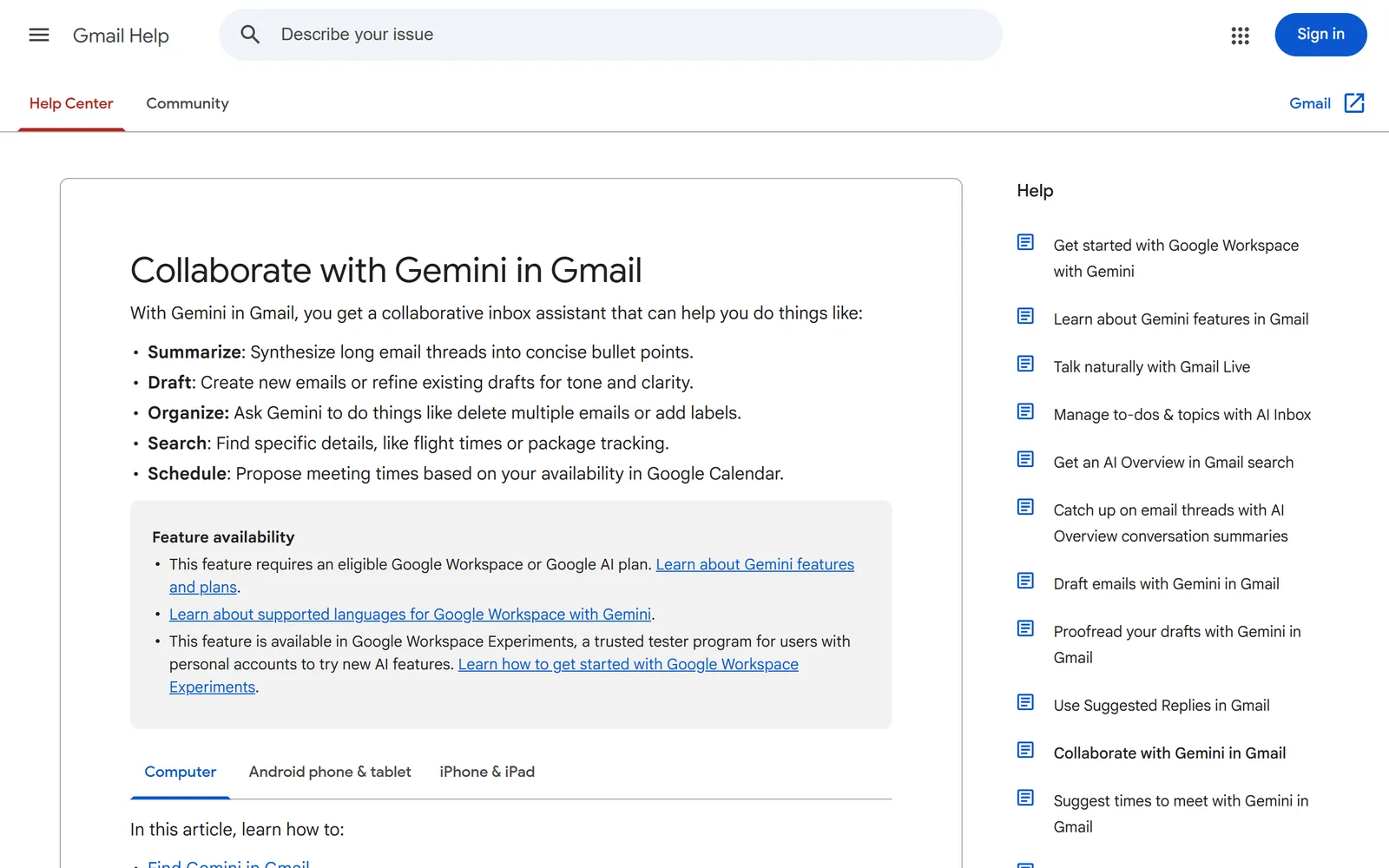
Google adds a few rules on the same page:
- Nothing is deleted, archived or labeled until you confirm, on a confirmation card or by replying yes.
- After you confirm, you get 60 seconds to undo. Send Gemini another prompt and the undo is gone.
- Deleted mail goes to Trash, where Gmail keeps it for 30 days.
- If more than 10,000 threads match, Gemini won't process the request.
- It can't mark a batch of emails as spam, and it can only use labels you already have.
Then there's the plan. Google's page says this feature "requires an eligible Google Workspace or Google AI plan," and that people with personal accounts can try it through Google Workspace Experiments.
The Gemini app, connected to Gmail#
In the Gemini app you can connect Google Workspace, and Google's Personal Intelligence announcement from January 14, 2026 lets Gemini draw on Gmail, Photos, YouTube and Search for answers. It's off by default, and you pick which apps to connect. What the app does with your mail is described on Google's Workspace app help page: summarize, get quick answers and find information.
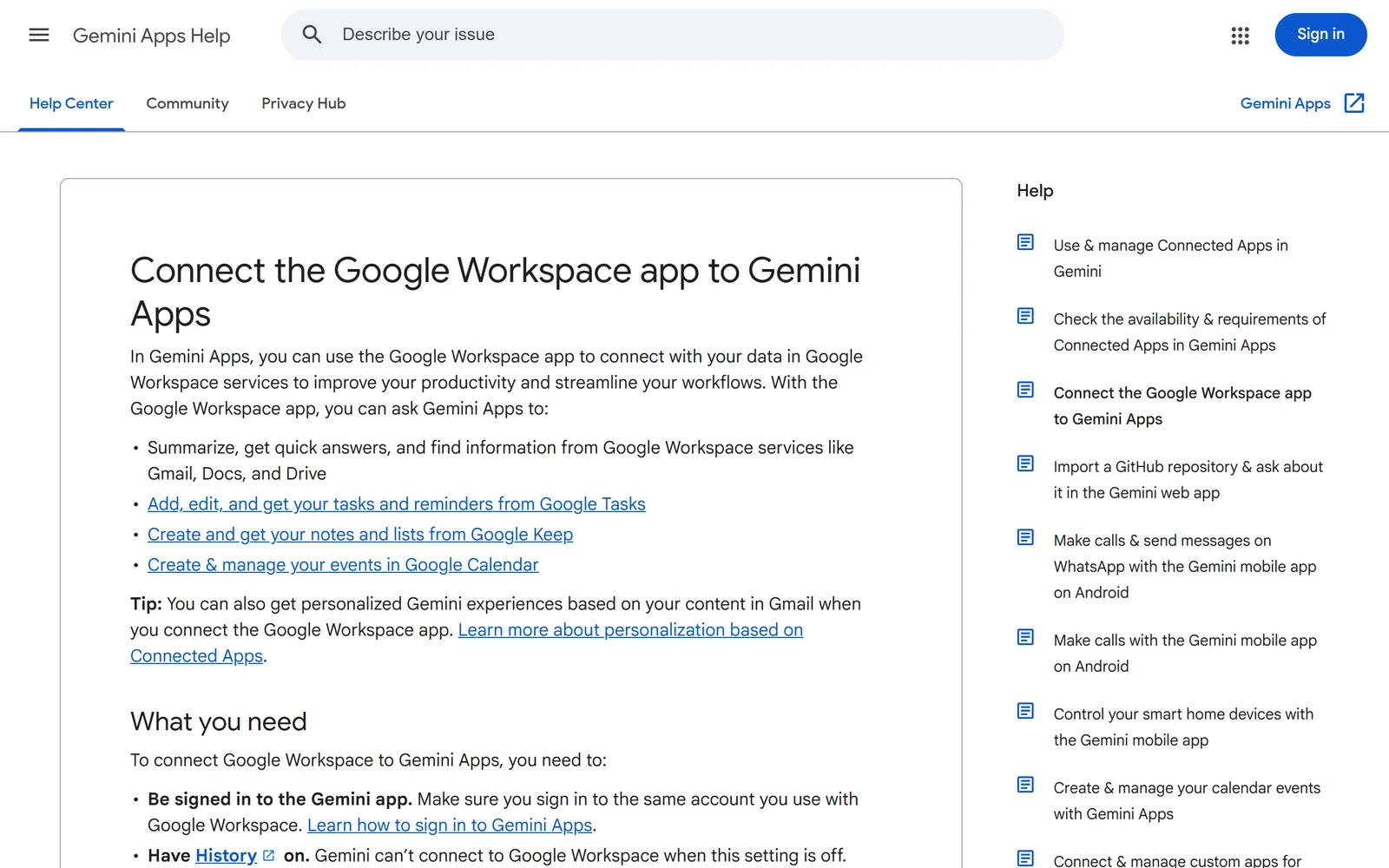
That page lists no delete, archive or unsubscribe for Gmail. It does say the app can't count items in your Gmail or tell you how much storage you're using. If storage is why you're cleaning, our free Gmail storage checker shows which searches free up the most.
What it does not do: unsubscribing and clearing a sender's history#
Unsubscribing isn't on Gemini's list. Google's Gemini in Gmail page covers archiving, deleting, labeling, starring and read status, and says nothing about unsubscribe links or requests. So if you ask Gemini to delete every email from a store, the mail is gone and the store's next promo arrives on schedule.
Gmail handles unsubscribing elsewhere. Its Manage subscriptions page lists your senders, and one click sends an unsubscribe request for you. Google says it can take a few days for the sender to stop, and new mail from them goes to spam after you unsubscribe. That page describes nothing for the mail already in your inbox, which we cover in Gnuke vs Gmail's Manage subscriptions.
Two smaller gaps are worth knowing before you ask Gemini to clear a sender:
- Starred mail. Google's page doesn't say whether "delete all emails from" a sender skips starred messages. Check the matching emails Gemini shows you before you confirm.
- The undo window. Sixty seconds is short. After that, your way back is digging through Trash within 30 days.
Gmail's own Manage subscriptions vs Gemini vs a one-click tool#
| Gmail Manage subscriptions | Gemini in Gmail | Gnuke | |
|---|---|---|---|
| Unsubscribe from a sender | Gmail Manage subscriptionsYes, one click per sender sends the request (Google) | Gemini in GmailNot listed in Google's help page (Google) | GnukeYes, in the same click as the cleanup |
| Delete a sender's past mail | Gmail Manage subscriptionsNot described. You can open a view of their emails (Google) | Gemini in GmailYes, on request after you confirm, up to 10,000 threads (Google) | GnukeYes, every past email goes to Trash |
| Keeps starred mail | Gmail Manage subscriptionsNothing is deleted | Gemini in GmailNot stated by Google | GnukeYes, always |
| Undo | Gmail Manage subscriptionsNothing to undo. Report not spam brings back later mail (Google) | Gemini in Gmail60 seconds, then Trash for 30 days (Google) | Gnuke30 days |
| Plan needed | Gmail Manage subscriptionsPart of Gmail (Google) | Gemini in GmailEligible Google Workspace or Google AI plan (Google) | GnukeFree to try, Unlimited is $29.99 a year |
We checked Google's pages for this table on November 17, 2026. Gemini features roll out by plan and by country, so what you see may differ.
How to clear a newsletter sender in one step#
With Google's tools, it's two steps per sender. Unsubscribe in Manage subscriptions (or with the Unsubscribe link at the top of one of their emails), then ask Gemini to delete the rest, or run a from: search and delete by hand as our guide to deleting all emails from one sender shows. With dozens of senders, our bulk unsubscribe guide covers the fastest order to work through them.
Gnuke folds both into one click. It adds a bomb button to Gmail. Click it on a newsletter and Gnuke unsubscribes you through the sender's own unsubscribe link, or sends the unsubscribe email from your account when that's the only way the sender accepts. Then it moves every email that sender ever sent you to Trash.
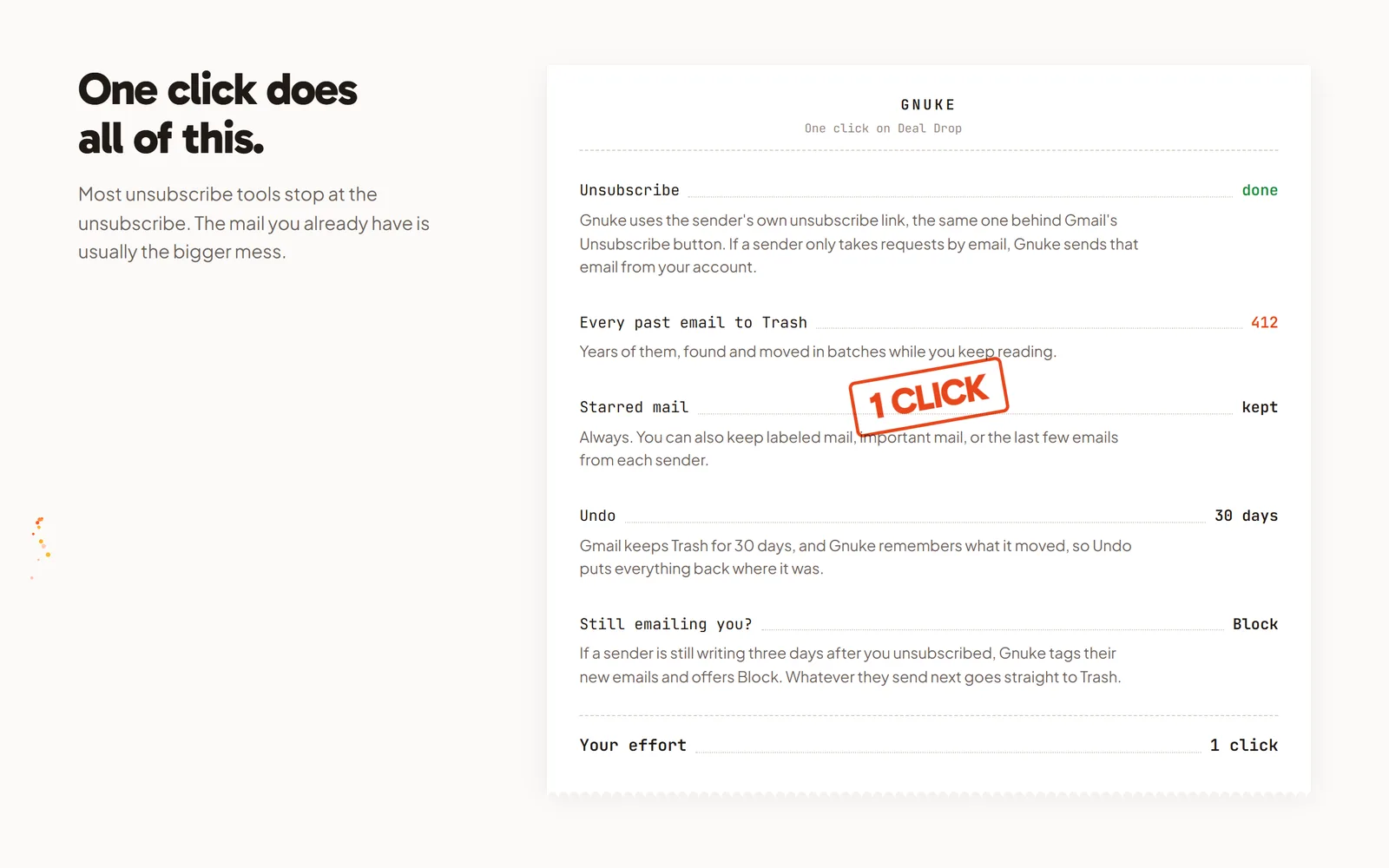
- Starred and labeled mail stays put.
- Undo brings it all back for 30 days.
- If a sender keeps writing after the unsubscribe, Gnuke offers to block them.
- Your email content stays on your device.
Gemini is handy for reading your inbox, like digging up a flight time or boiling down a long thread. Newsletters need something else: the sender stopped and their pile cleared. With Gnuke that's one click.
Frequently asked questions
Can Gemini unsubscribe me from newsletters in Gmail?
Google's help page for Gemini in Gmail doesn't list unsubscribing. It lists archiving, deleting, labeling, starring and marking mail as read. To unsubscribe inside Gmail, Google points you to the Unsubscribe link on a message or to Manage subscriptions.
Can Gemini delete all emails from one sender?
Yes, in Gemini in Gmail on an eligible paid plan. Google's own example is "Delete all emails from Eva Smith." Gemini shows a confirmation first, gives you 60 seconds to undo, and won't act on more than 10,000 threads at once. Deleted mail sits in Trash for 30 days.
Is Gemini in Gmail free?
Google says the Ask Gemini panel in Gmail needs an eligible Google Workspace or Google AI plan. People with personal accounts can also try it through Google Workspace Experiments, Google's trusted tester program.
Can the Gemini app delete my Gmail?
Google's help page for connecting the Gemini app to Gmail lists summarizing, quick answers and finding information. It doesn't list deleting or unsubscribing. It also says the app can't tell you how much Gmail storage you have.
Does Gemini keep my starred emails when it deletes a sender's mail?
Google's help page doesn't say. Its examples delete everything that matches the request. If you want starred mail left alone, look at the matching emails Gemini shows you before you confirm. Gnuke always skips starred mail when it clears a sender.
Quoting this? Cite this page
Gnuke. "Can Gemini clean up your Gmail inbox? What it can and can't do with newsletters." Published November 17, 2026, updated November 17, 2026. https://getgnuke.com/articles/can-gemini-clean-up-gmail
Every Gemini and Gmail fact here comes from Google's own help pages and announcements, linked in the article and checked November 17, 2026.
You may republish these steps with attribution and a link to https://getgnuke.com/articles/can-gemini-clean-up-gmail.