 Gnuke
Gnuke Uber Eats runs on your
  Uber account, so if you also take Uber rides, the promos for both are tied to one login. That works in your favor: Uber has a single opt-out that covers both. It still won't clear the Uber Eats emails already sitting in
  Gmail. Below is each route, taken from Uber's own help center, unsubscribe page and privacy notice in October 2026.
Uber's email switch covers rides and Eats at once#
Uber Eats doesn't have a separate account system. Uber's help article My phone or email is already in use says "users are only able to create one Uber account for both Rides and Uber Eats," and the Uber Eats site tells new users the same thing (checked October 2026).
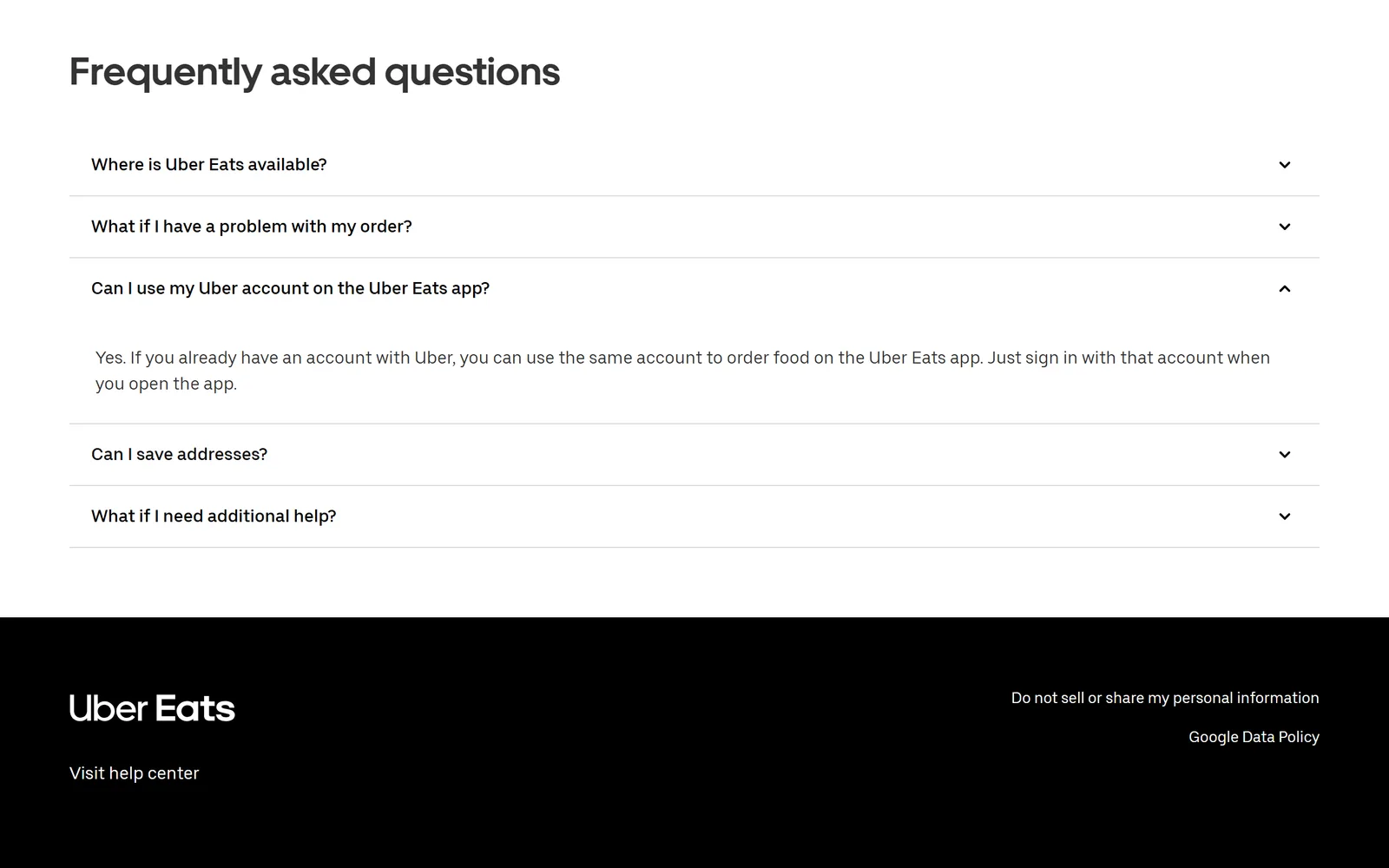
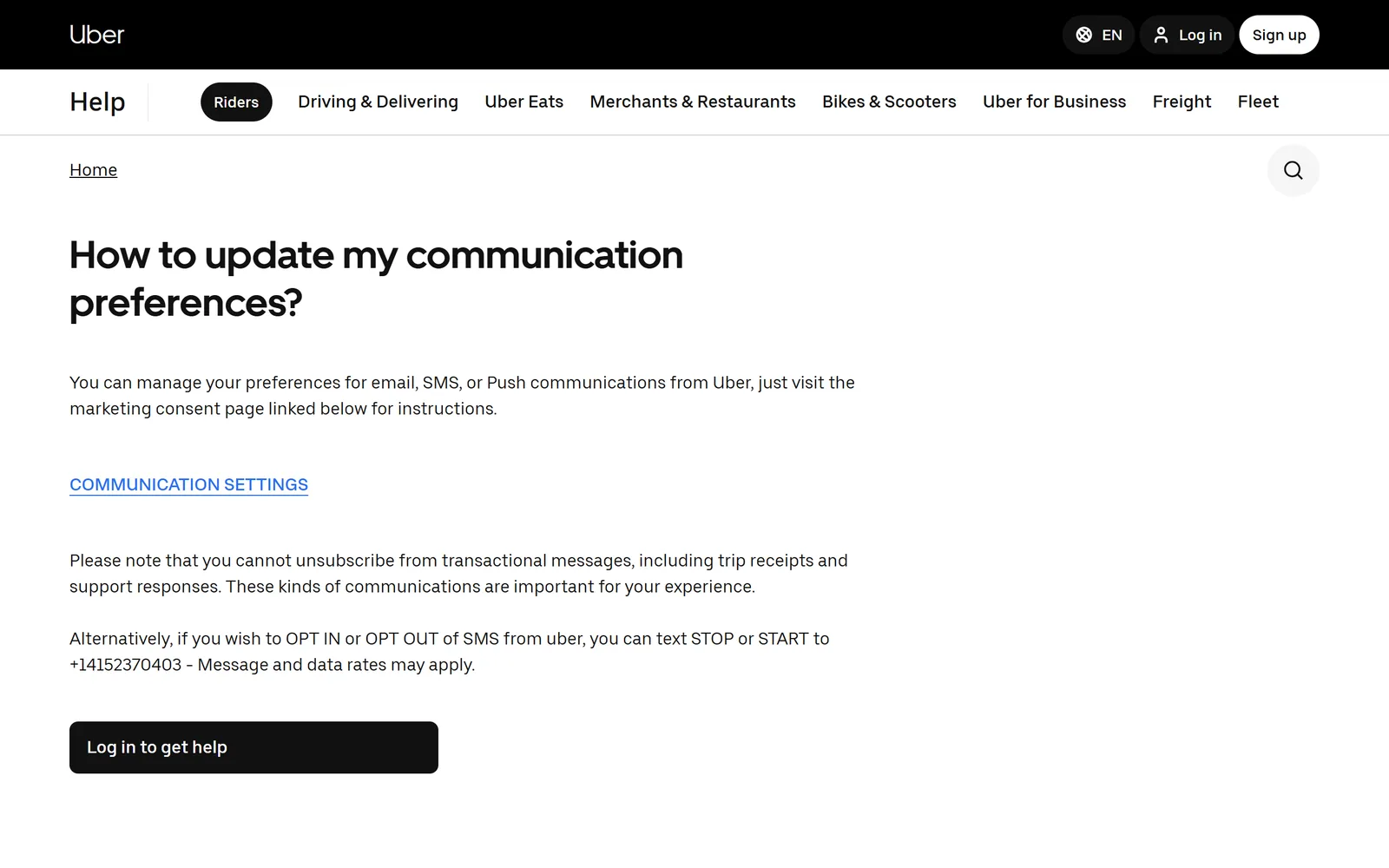
So the email settings belong to your Uber account, not to the food app. Uber's help center covers them in How to update my communication preferences? (checked October 2026), which says you can manage email, SMS and push communications from Uber, and links a button labeled Communication Settings.
That button goes to unsubscribe.uber.com, which doesn't ask you to sign in. Type the email address on your Uber account and select Submit. The page says plainly what that does: "Submitting this request unsubscribes you from all Uber emails except transactional messages such as receipts and account information."
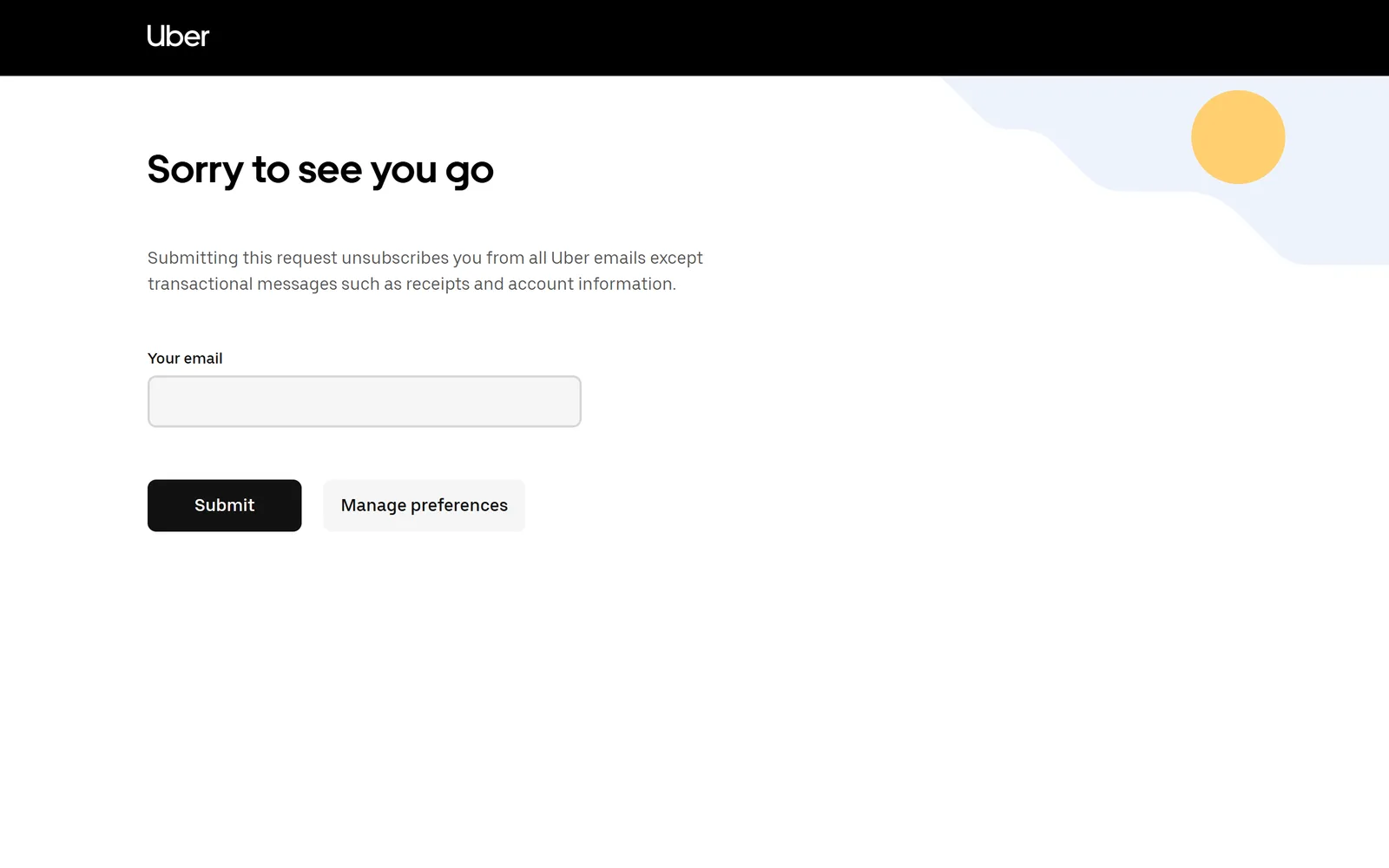
That's the all-or-nothing route. If you'd like more control, the same page has a Manage preferences button, and Uber's privacy notice (last updated September 17, 2026, read October 2026) points signed-in users to accounts.uber.com/communication, where "you may also choose whether to receive any marketing emails or push notifications from Uber." The same section says the Privacy Center, which you'll find under Account, then Settings, then Privacy in the Uber apps, has an Ads and Data menu where you choose whether Uber personalizes its marketing emails, push notifications and in-app messages. That changes what the promos are based on. To stop them, use the communication settings.
Or click Unsubscribe in any Uber Eats email#
You don't need to visit any settings page if a promo is already open. Uber's own post on marketing preferences (published June 25, 2021, for UK users, read October 2026) says it shares promotions for "services such as Rides and Uber Eats" and that "you can unsubscribe at any time by clicking 'unsubscribe' at the end of an email from Uber." Uber's help center repeats it for drivers in Turn off text or email updates: click the Unsubscribe link at the bottom of any Uber email.
For texts, the communication preferences article gives a number: text STOP to +14152370403 to opt out of SMS from Uber, or START to opt back in. Message and data rates may apply.
Which Uber Eats emails keep coming?#
Every route above is a marketing opt-out. Uber's help center is direct about the rest: "you cannot unsubscribe from transactional messages, including trip receipts and support responses." The unsubscribe page adds account information to that list. So your order receipts keep arriving, which is what you want if you expense meals or need to dispute a charge.
Restaurant emails are their own thing. When you order, Uber Eats can share your name, email and order history with the store, and a store you've opted in to may send its own promos and loyalty offers. Uber's help article Managing store communication settings says to stop those with the unsubscribe link in the store's own email. To stop sharing with a store at all, swipe to the bottom of its menu screen before you order and tap "Stop sharing."
Uber One is separate too. Uber's Uber One page (checked October 2026) describes it as one membership for Uber and Uber Eats at $9.99 a month. Unsubscribing from marketing doesn't cancel it. That happens in the app: open the Uber One section, select Manage Membership, then End Membership.
Push notifications from the app are a different channel from email. The privacy notice handles marketing push on the same accounts.uber.com/communication page, so you can switch both off in one visit.
On timing, we checked Uber's communication preferences article, its unsubscribe page and its privacy notice, and none of them says how long an opt-out takes.  Google, for its part, requires anyone sending 5,000 or more messages a day to Gmail to honor unsubscribe requests within two days, according to its announcement of the sender rules. If promos are still arriving after that, submit the unsubscribe page again with the exact address the promos are reaching.
Order from more than one delivery app? See how to unsubscribe from  DoorDash emails and how to stop
  Instacart emails.
Gmail's Unsubscribe and Manage subscriptions#
Gmail has its own two ways to stop new Uber Eats mail, and neither needs Uber's page. Many marketing emails show an Unsubscribe link next to the sender's name at the top of the message. Manage subscriptions (in the left menu under More on the web, or the top-left menu in the phone app) lists the senders that mail you most, with an Unsubscribe button beside each. Google's help page explains it, and our guide to unsubscribing in bulk in Gmail goes through it step by step.
Both stop new mail. Neither deletes anything, so every Uber Eats promo you already have stays in your inbox. For how Manage subscriptions compares with a tool that clears the backlog as well, see  Gnuke vs Gmail's Manage subscriptions.
Clear out years of Uber Eats promos#
No unsubscribe link touches the mail you already have. By hand, you search Gmail for the Uber Eats sender with from:, select every matching conversation and delete them; our guide to deleting all emails from one sender shows how.
Or let one click do both jobs. Gnuke is a  Chrome extension that adds a bomb button to Gmail. Click it on an Uber Eats email and Gnuke unsubscribes you in the best way the sender supports: the standard one-click request if it's there, otherwise an unsubscribe email from your own address, otherwise it opens the sender's unsubscribe page for you. In the same click, every email from that sender moves to Gmail's Trash. Gnuke works sender by sender, so if your ride promos and your food promos arrive from different Uber addresses, click the bomb on one of each.
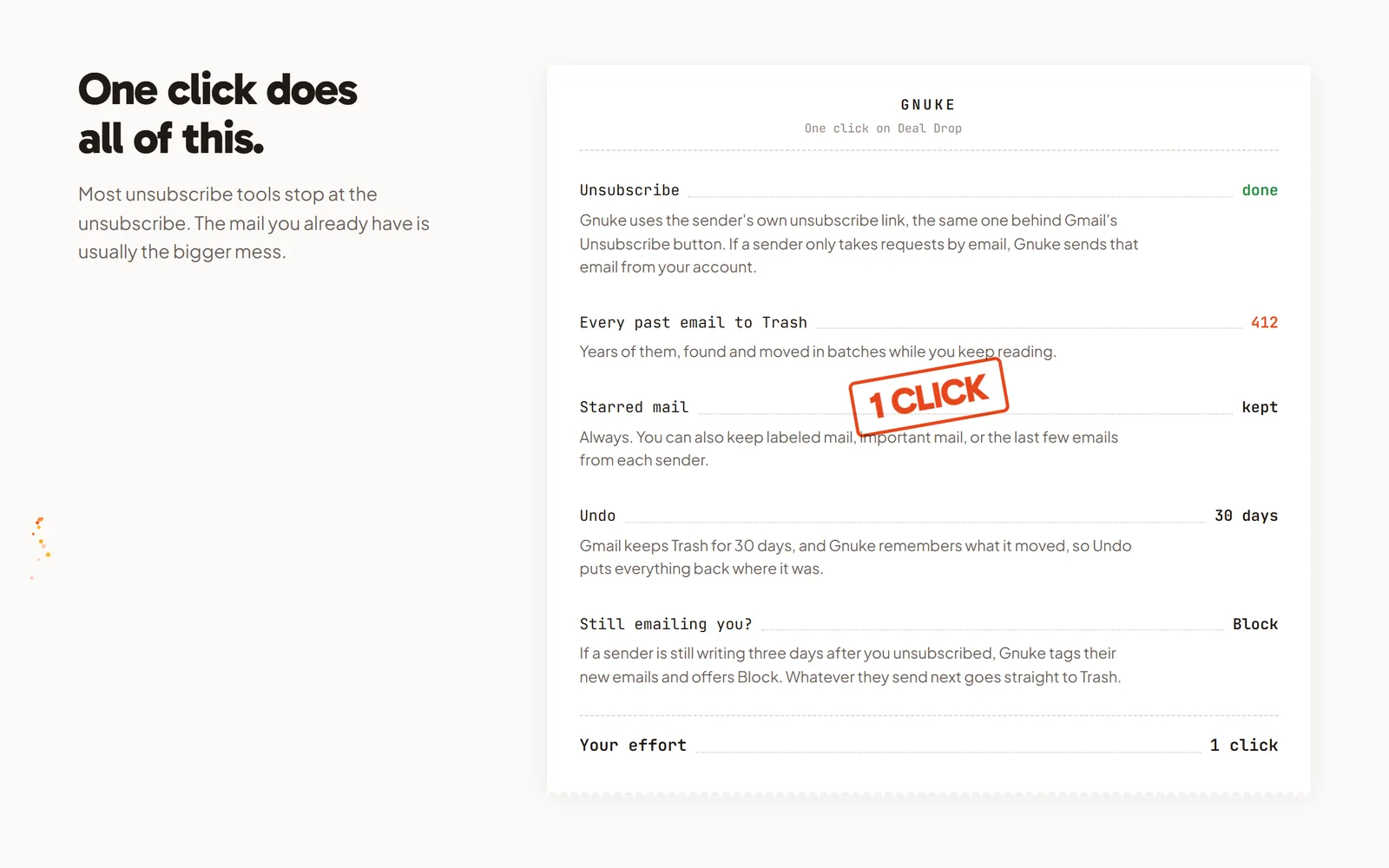
Receipts matter here. Starred mail always stays, so star any Uber Eats receipt you need for an expense report or a refund before you click. You can also keep the sender's newest 1, 3 or 10 emails, mail in a label, or mail marked important. Undo brings everything back for 30 days, and Gnuke never deletes anything permanently. See how it works.
If Uber Eats keeps mailing more than 3 days after you unsubscribed, Gnuke's "Still emailing you" list flags it and offers a one-click Block, a Gmail filter that sends future mail from that sender straight to Trash. For a bigger cleanup, Clean up ranks all your newsletter and promo senders so you can tick Uber Eats alongside the rest and nuke them together. On your phone, the Gnuke phone app does the same thing straight to Gmail.
Gnuke works from your own browser or phone, and no Gnuke server sees your mail. Ten nukes a month are free; Unlimited is $29.99 a year or $4.99 a month (see pricing).
Which way should you go?#
If you never want an Uber promo again, for rides or food, the unsubscribe.uber.com form is the quickest: no sign-in, and Uber says it covers all its emails except receipts and account mail. If you'd like to keep some Uber news, sign in at accounts.uber.com/communication and choose there. Either way, the Uber Eats emails you already have stay put. Gnuke stops the promos and clears the old ones in the same click, with your starred receipts left alone.
Frequently asked questions
How do I stop Uber Eats emails?
Go to unsubscribe.uber.com, type the email on your Uber account and select Submit, or click Unsubscribe at the end of any Uber marketing email. If you're signed in, accounts.uber.com/communication lets you choose whether you get marketing emails and push notifications. These routes come from Uber's help center, unsubscribe page and privacy notice, checked October 2026.
Does unsubscribing from Uber Eats emails stop Uber ride emails too?
Yes, for marketing. Uber's help center says you can create only one Uber account for both Rides and Uber Eats, and its unsubscribe page says submitting the form unsubscribes you from all Uber emails except transactional messages. So the same opt-out covers promos about rides and about food delivery.
Why do I still get Uber Eats emails after unsubscribing?
Uber's help center says you cannot unsubscribe from transactional messages, including trip receipts and support responses, and its unsubscribe page names receipts and account information as exceptions. Emails from a store you opted in to are separate too. Uber's help article, unsubscribe page and privacy notice give no time frame for an opt-out. Google requires senders of 5,000 or more messages a day to Gmail to honor unsubscribe requests within two days.
How do I stop Uber Eats text messages?
Uber's help center says to text STOP to +14152370403 to opt out of SMS from Uber, or START to opt back in. Message and data rates may apply.
Will unsubscribing from Uber emails cancel Uber One?
No. Turning off marketing email is not the same as ending a membership. Uber's Uber One page says you cancel in the Uber app's Uber One section: select Manage Membership, then End Membership.
Does unsubscribing delete the Uber Eats emails I already have?
No. Unsubscribing only stops future marketing mail. Every Uber Eats email already in Gmail stays until you delete it. Gnuke unsubscribes you and moves every email from that sender to Gmail's Trash in one click, with Undo for 30 days.