 Gnuke
To unsubscribe from  AWS emails, go to aws.amazon.com/preferences/email/unsubscribe, enter your address, pick a reason and click Submit. That stops all AWS marketing email. Account email keeps coming, though you can switch some of it off in the billing console.
If you came looking in your shopping account, that's the wrong place.  Amazon store promos are covered in our guide to Amazon's Communications Preference Center. Everything below comes from AWS's own pages, checked on November 23, 2026.
How do I stop AWS marketing emails?#
- Open the Email Unsubscribe page.
- Enter the email address that gets the mail.
- Choose an answer under Why are you unsubscribing?
- Click Submit.
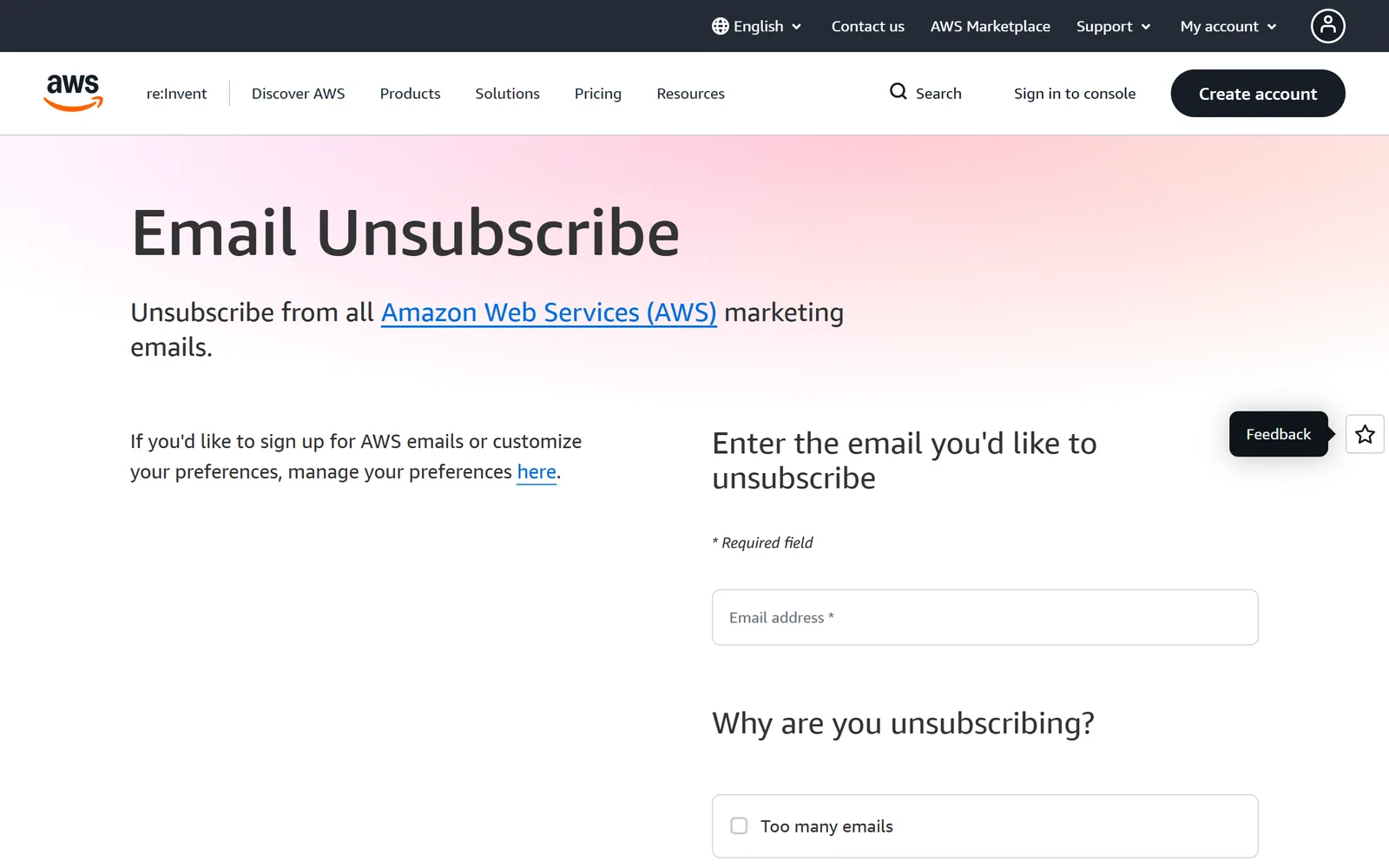
The page is clear about its limits: "You will still receive transactional emails related to your use of AWS services and related offerings."
Want some of the mail? Start at the Email Preferences page instead, enter your address and click Continue. AWS's privacy notice also says you can adjust communication preferences in the AWS Management Console.
Which AWS emails have their own switch?#
| AWS email | Where to change it |
|---|---|
| Marketing | Where to change itEmail Unsubscribe page |
| PDF invoices | Where to change itBilling preferences, Invoice delivery preferences |
| Free Tier usage alerts | Where to change itBilling preferences, Alert preferences |
| SNS notifications | Where to change itSubscriptions in the Amazon SNS console |
For invoices, open the Billing and Cost Management console, choose Billing preferences, then Edit under Invoice delivery preferences. Clear PDF invoices delivery by email and choose Update. AWS's billing preferences guide says it also sends an email with your invoice details on top of the PDF. Add a billing contact on the Payment preferences page and the root user stops getting both.
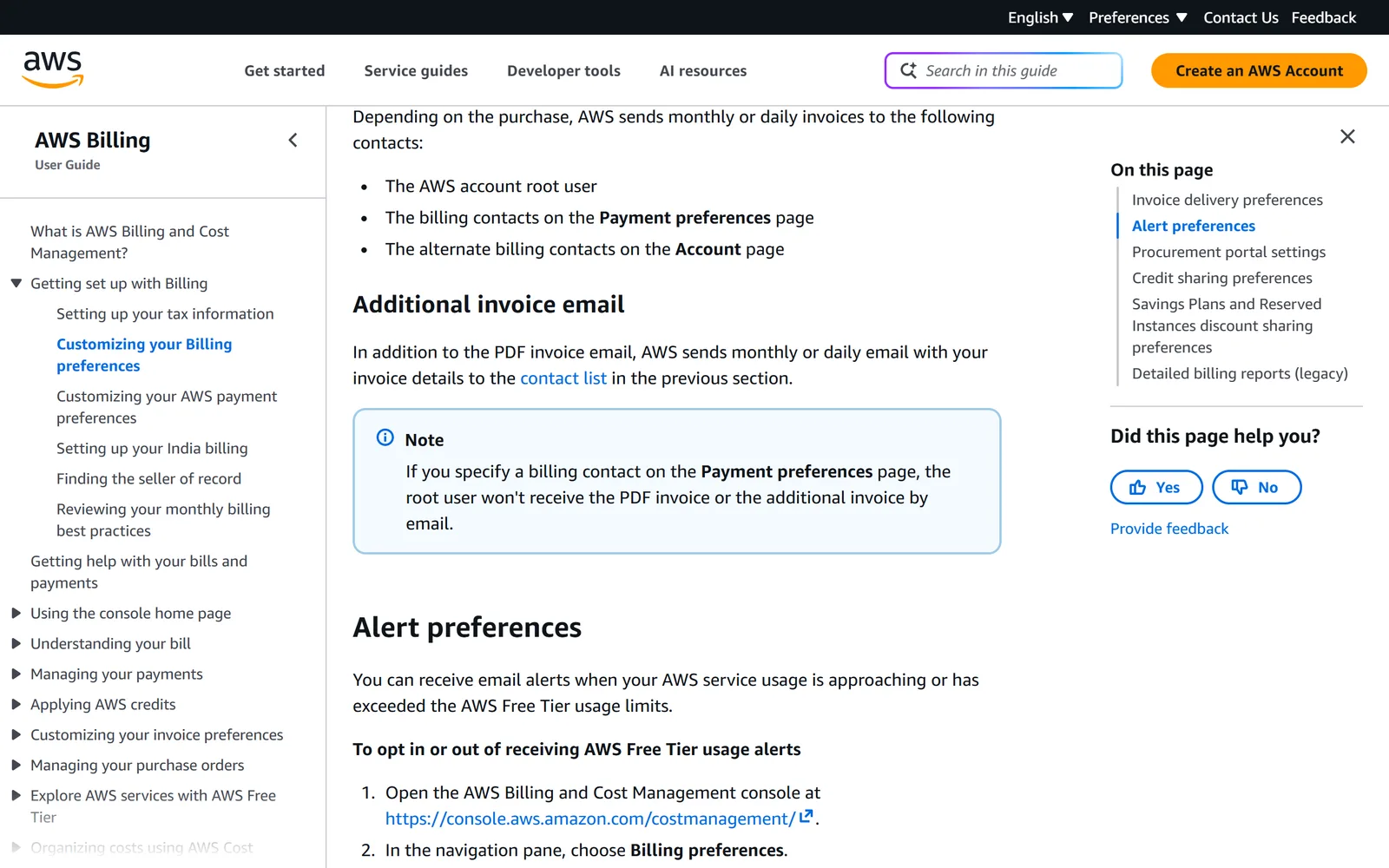
Free Tier alerts are on the same page: edit Alert preferences and clear Receive AWS Free Tier usage alerts. CloudWatch billing alerts are the odd one out. The guide says that preference "can't be deactivated at a later time."
Alerts your own setup sends through SNS are separate again. In the SNS console, choose Subscriptions, select the confirmed one and choose Delete, per the SNS guide.
Sending AWS email to someone else#
If the mail matters but you're not the one who needs it, add an alternate contact for Billing, Operations or Security: in the console, open Account from your account name, find Alternate contacts and choose Edit. AWS's contacts guide says the primary contact still gets everything sent to the root account's email, so this adds a reader without clearing your own inbox.
Closing the account doesn't cut things off right away either. AWS's closure guide says you'll get a bill the following month, and invoices for Reserved Instances and Savings Plans until they expire.
Clear out the AWS email already in  Gmail#
None of those switches deletes anything. By hand, open an AWS promo, search Gmail for its sender with from:, select the results and delete them, as in our guide to deleting all emails from one sender.
Or do it in one click.  Gnuke adds a bomb button to Gmail that unsubscribes you and moves every email from that sender to Trash. Starred mail always stays, so star any invoices first if the same address sends them. You can also keep mail in a label, and Undo brings everything back for 30 days.
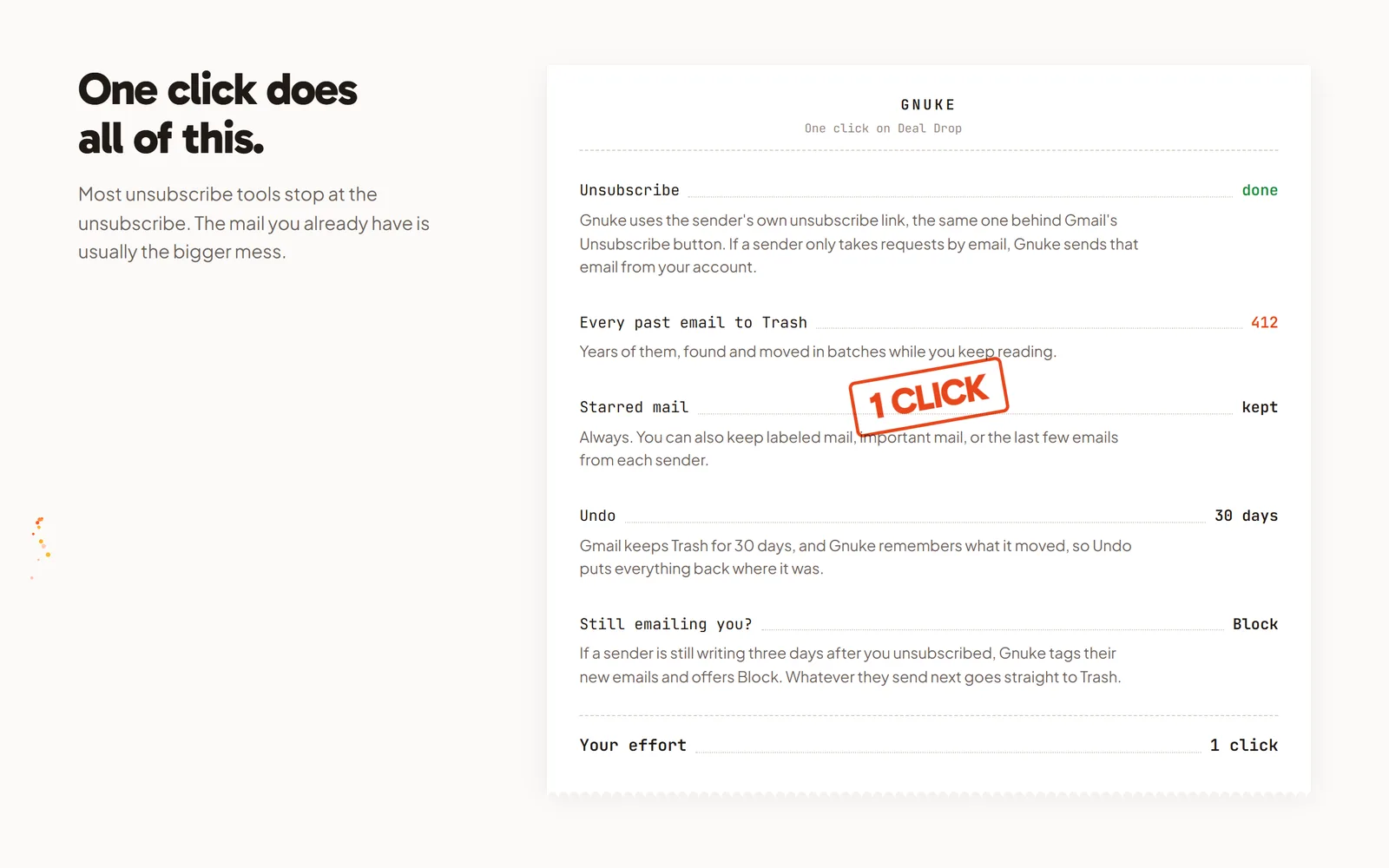
Be careful using Block on an AWS address if you still run anything there: billing and security notices are worth seeing. A suspicious one can go to stop-spoofing@amazon.com, the address AWS gives on its report suspicious emails page.
Work inbox full of other senders too? See how to unsubscribe in bulk in Gmail or stop  LinkedIn emails. Gnuke's first 10 nukes are free (pricing), and no Gnuke server sees your mail.
Frequently asked questions
Where is the AWS email preference center?
To change what you get, go to aws.amazon.com/preferences/email/manage. To stop all AWS marketing email, go to aws.amazon.com/preferences/email/unsubscribe. The address pages.awscloud.com/communication-preferences.html now redirects to the unsubscribe page.
Do Amazon's communication preferences stop AWS emails?
Use the AWS page for AWS mail. Amazon's Communications Preference Center handles Amazon store marketing, while AWS's privacy notice points to its own Email Preference Center and the AWS Management Console.
Can I stop AWS invoice emails?
You can turn off the PDF. In the Billing and Cost Management console, choose Billing preferences, edit Invoice delivery preferences, clear PDF invoices delivery by email and choose Update. AWS also describes a separate email with your invoice details. If you add a billing contact under Payment preferences, AWS says the root user won't receive either one.
Why do I still get AWS emails after closing my account?
AWS says you get a bill the month after closing, and that invoices for Reserved Instances and Savings Plans continue until they expire.
How do I report a fake AWS email?
AWS says you can forward phishing emails and suspected forgeries to stop-spoofing@amazon.com.
Quoting this? Cite this page
Gnuke. "How to unsubscribe from AWS emails (email preference center)." Published November 23, 2026, updated November 23, 2026. https://getgnuke.com/articles/unsubscribe-from-aws-emails
The steps come from AWS's own preference pages and documentation, linked in the article and checked November 23, 2026.
You may republish these steps with attribution and a link to https://getgnuke.com/articles/unsubscribe-from-aws-emails.